If your Google Business Profile regularly shows up in the 3-pack but your clicks feel stuck in neutral, you might be missing the secret fuel: map pack justifications. These are the short, keyword-rich snippets under your listing that say things like “people often mention same-day AC repair” or “their website mentions drain cleaning.” When they match the query, users treat them like proof and click more. The good news: you can trigger more of these local pack snippets without playing spam games. Here’s a tactical playbook to line up your website copy, GBP services, attributes, and reviews so Google has irresistible snippets to pull.
What Are Map Pack Justifications?
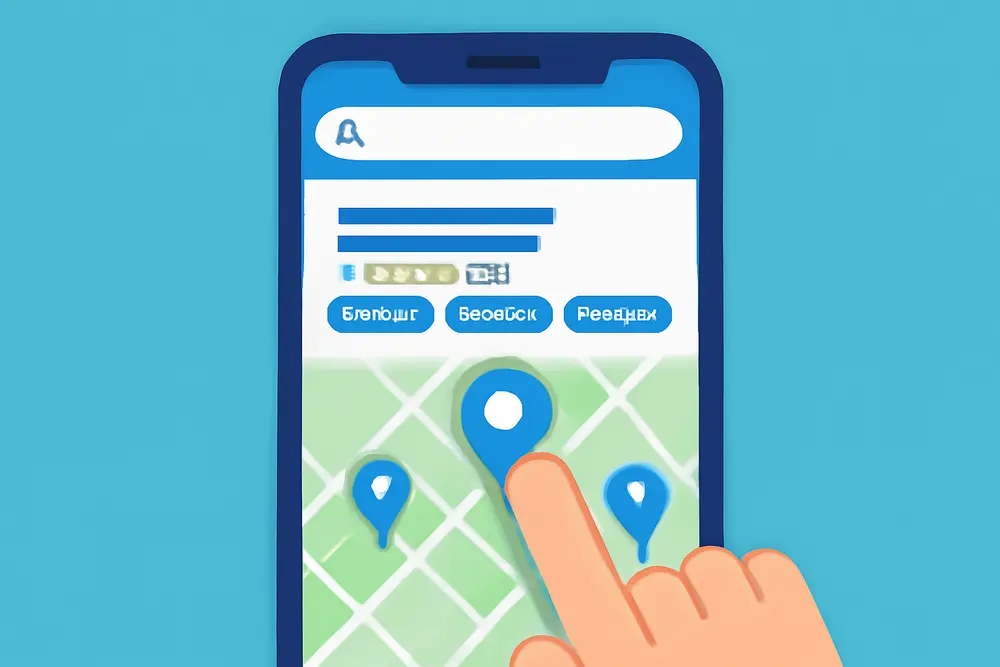
Map pack justifications are micro-snippets that Google attaches to listings in the local pack to show why a business matches a search. You’ve seen versions like “reviews mention emergency plumbing,” “their website mentions Invisalign,” “provides free estimates,” “wheelchair accessible,” or “in stock.” They are pulled from recognizable sources: your reviews, website copy, attributes, categories, services, products, and sometimes menus or inventory feeds.
Think of them as on-the-spot proof points. A user types “same day AC repair near me,” and your listing shows a snippet that reads “reviews mention same-day service in Willow Glen.” That tiny line can swing the click in your favor.
Why Do They Lift CTR?
Justifications reduce doubt. When a snippet mirrors the user’s search intent, it confirms you actually do the thing they need, in the place they need it, and in the way they prefer. They compress research time. Add in ratings and photos, and you have a decision shortcut sitting right in the results. In crowded categories, those snippets become your edge, especially for service plus location queries like “roof leak repair Campbell” or intent qualifiers like “open now” and “free estimate.”
What Triggers Local Pack Snippets?
Google needs clear, consistent sources to pull from. Here are the most common justification types you can influence and where they usually come from:
| Justification Type | Typical Source | How To Trigger |
|---|---|---|
| “Reviews mention X” | Customer reviews | Prompt reviews that mention service plus location, then reply naturally with the same phrasing. |
| “Their website mentions X” | On-page copy | Publish service plus city pages and use exact phrases users search in headings and body text. |
| “Provides X” | GBP services | Fill the Services list with specific offerings and short, clear descriptions. |
| “In stock” or “Sold here” | GBP products or inventory | Add products with names, photos, and pricing. Sync inventory if relevant. |
| Attributes like “Wheelchair accessible” | GBP attributes | Select every accurate attribute including accessibility, ownership, online services, and amenities. |
| “Open now” or hours | GBP hours | Keep holiday hours updated and consider after-hours or emergency availability if accurate. |
Align Your Website Copy
Website language often seeds the “their website mentions” justification. You want laser alignment between how users search, how your site is structured, and how your GBP is filled out. Start with neighborhood landing pages. They are practical assets that match how people actually search: service plus the exact pocket they live in. We recommend building pages like “Same-day AC Repair in Willow Glen” or “Emergency Plumber in Campbell.” Include:
• A clear H1 and H2 that use service plus location phrasing. Avoid stuffing. One exact match in a header and a few natural mentions in the copy is plenty.
• Local context that proves you actually serve the area. Think real project photos labeled with street or neighborhood names, short case blurbs tied to landmarks, and testimonials from residents in that pocket.
• Internal links to and from your main service pages. Create a connected hub so Google understands scope and locality together.
• An embedded map and click-to-call CTAs for mobile users. The easier you make it to act, the better your conversion once they land.
Copy should cover the outcomes and scope your crew actually delivers. If you repair mini-split heat pumps, say that in plain English. If you do same-day diagnostics in select ZIPs, say which ones. Specificity helps Google interpret your relevance and helps users feel confident clicking. Avoid vague marketing copy that never names the exact service the searcher is typing.
Optimize Your GBP Setup
Your Google Business Profile is the front-of-house for triggering local pack snippets. You want clean, category-aligned data that mirrors your on-site language. Here is how to set it up for justification wins:
Pick the right primary category. Then add secondary categories that map tightly to services you truly offer. Categories influence what attributes and services are available, so this choice echoes across the entire profile.
Fill the Services section, and do not be shy about being specific. Instead of one catch-all “Plumbing,” list “Drain Cleaning,” “Water Heater Install,” “Sewer Camera Inspection,” and “Emergency Plumber.” Add short scope notes like “Same-day options in San Jose” if that is true. These entries often surface as “Provides X.”
Use the Products tab creatively. Packaging services as products works incredibly well for intent-heavy prospects. We recommend naming and pricing high-intent offerings like “AC Tune-Up,” “Roof Leak Diagnostic,” or “Tooth Pain Exam.” Add honest ballpark pricing, a short scope, and a benefit-driven photo. Products can generate “Sold here” or “In stock” style justifications for relevant categories and give you more real estate in the profile.
Complete every applicable attribute. Attributes like “Wheelchair accessible,” “Veteran-owned,” “Women-owned,” “LGBTQ+ friendly,” “On-site services,” “Online appointments,” “Free estimates,” and “Emergency service” can all show up as local pack snippets. Select only what is accurate. Then keep it updated as your operations evolve.
Write a crisp “From the business” description that reinforces your main service and locality coverage in a human way. No stuffing. One or two service plus city mentions is enough.
Add fresh photos regularly. Listings that consistently add real project shots, team photos, and storefront visuals tend to earn more clicks and direction requests. Our GBP photos guide shows how better visuals help your listing stand out. Caption photos using service plus location phrasing like “Before and after leaf guard install in Willow Glen” or “24-hour pump replacement in Downtown San Jose.” Captions help Google read the image context and sometimes support justifications.
Reviews That Spark Snippets
Reviews are the fastest path to keyword-rich justifications because Google trusts real customer language. Your goal is steady volume, high quality, and the right phrasing baked in naturally. You will not script reviews, but you can guide them. Try sending a friendly prompt right after service, plus an example to show the kind of detail that helps other shoppers.
Here is a simple prompt you can adapt:
“Thanks again for choosing us. If you have a minute, would you share a quick review about the service we did and the area we served? Details help neighbors find us when they search. For example: ‘Same-day AC repair in Willow Glen. Tech arrived on time, explained options, and had cool air running fast.’”
Small touches like this increase the odds you get “reviews mention” justifications for your priority terms and neighborhoods. Then respond to each review with genuine thanks and a natural echo of the service and location: “Appreciate you trusting us for a same-day AC repair in Willow Glen, Maria. We will share your kudos with Tim.” That light reinforcement helps without crossing into stuffing.
Mirror your best review snippets on the corresponding product or service pages on your site. If your GBP product is “Roof Leak Diagnostic,” add two short review quotes below the fold that mention leak repair in the city. This keeps your language aligned across platforms and signals consistency.
Photos And Trust Builders
Local pack snippets are more powerful when the rest of your listing screams credibility. You want real proof users can see before they click:
• Post real project photos and team shots regularly. Quality and recency matter more than glossy stock images. Label and caption them for clarity.
• Add awards and badges to your website and showcase them in GBP via Updates or the description. If you have “Best Of” wins, share those wins smartly.• Make sure NAP data is consistent across your site and citations. Inconsistencies erode trust for both users and algorithms.
These touches do not directly create justifications, but they do influence clicks after a snippet catches the eye.
Copy That Matches Real Queries
Local pack snippets tend to fire when the wording across your presence matches the intent and phrasing of the query. That means you should align your website headers, GBP services, and product names to the way people actually search. A few rules of thumb help:
• Keep it close to exact-match phrasing without turning robotic. “AC Repair San Jose,” “Emergency Plumber Near Me,” “Same-Day Water Heater Replacement” all match common patterns.
• In descriptions, write what the service includes. Scope is your friend. “Includes full inspection, condenser coil cleaning, and refrigerant check.” Google understands scope and tends to trust it more than vague marketing-speak.
• Refresh seasonal terms. If you offer furnace tune-ups in fall and AC tune-ups in spring, reflect that in Products and Services with current photos and dates.
• Keep categories, services, and website copy in sync. Do not call it “drain cleaning” on the site but “sewer service” in GBP if the offering is the same. Consistency supports stronger justifications.
Measuring CTR Gains
Once you start aligning your assets, watch your impact. You are optimizing both eligibility for justifications and the conversion power of your listing. Here is how to measure and iterate:
Use GBP Insights to monitor search views, discovery vs direct, and actions like website clicks, calls, and direction requests. Track trends after you add products, update attributes, or publish new neighborhood pages.
Add UTM parameters to your primary website link and to each GBP product link. Example: “utm_source=google&utm_medium=organic&utm_campaign=gbp&utm_content=ac-tune-up-product.” This lets you break out GBP traffic and on-site conversions in your analytics platform.
Test product names and descriptions. Small copy shifts can change which justification fires. For instance, renaming “Cooling System Tune-Up” to “AC Tune-Up” can align better with searcher language and increase “their website mentions” frequency.
Monitor competitors’ snippets. Search your top terms in multiple neighborhoods and screens. Snapshot which justifications they are getting and reverse-engineer their sources. If you repeatedly see “provides tooth pain exams,” there is a good chance they listed that specific service with a clear description. Match the structure with your own authentic offering.
Avoid Spam And Risks
Map pack justifications are valuable, which tempts shortcuts. Skip them. Do not stuff keywords in your business name, do not misrepresent your address or service area, and do not buy reviews. If Google knocks your profile for spam signals, you lose more than a snippet.
Follow these guardrails:
• Keep your business name clean and accurate.
• Use real photos of your team, office, and projects.
• Do not incentivize reviews with discounts or gifts. A kind request paired with great service wins reliably.
• Only select attributes that are true and active. If you stop offering online appointments, uncheck it.
• If you are a service area business, keep your coverage list honest and supported by on-site content.
Mini Examples
Here are quick scenarios that show how different choices spark different justifications:
AC contractor example. Before: GBP says “HVAC contractor,” two services listed, sparse photos, no products, and generic reviews like “Great job.” Result: bland listing with no justification. After: website adds a “Same-Day AC Repair in Willow Glen” page with real photos and a short case study. GBP adds services for “AC Repair,” “AC Installation,” and “AC Tune-Up,” each with short scope notes. Products include “AC Tune-Up” with price and a photo. Review prompts ask customers to mention the service and neighborhood. One week later, for “ac repair willow glen,” the listing shows “reviews mention same-day AC repair” or “their website mentions AC repair.” CTR rises because the snippet matches the query.
Plumber example. Before: mixed terms for drain cleaning vs sewer service, no neighborhood content, and no attributes selected beyond hours. After: consistent naming across site and GBP for “Drain Cleaning,” “Hydro Jetting,” and “Sewer Camera Inspection.” Attributes now include “24-hour emergency service” and “Free estimates.” Customers leave reviews like “hydro jetting in Downtown San Jose at 11 pm.” Queries for “emergency plumber near me” start triggering “reviews mention emergency service” and “provides hydro jetting.”
Retailer example. Before: a flooring showroom lists only the general category and a few photos. After: Products are added for “Luxury Vinyl Plank,” “Engineered Hardwood,” and “Carpet Remnants,” each with photos and price ranges. Attributes include “Wheelchair accessible entrance” and “In-store pickup.” For “vinyl plank flooring san jose,” the pack may show “in stock” or “sold here,” and the accessibility attribute appears for related searches. The extra proof helps shoppers click through to store hours and directions.
Sample Neighborhood Page Layout
If you are building neighborhood landing pages for “service plus location” coverage, use a repeatable template that keeps quality high and stuffing low:
• Headline with one exact-match phrase: “Same-Day AC Repair in Willow Glen.”
• Short intro that says who you help, what you fix, and why people in that neighborhood call you.
• Proof section with two to three mini case blurbs from residents, each with a quote and a before and after photo labeled “Willow Glen.”
• Service scope checklist that matches the GBP Services and Products entries. Keep names identical.
• Map embed with service radius and a handful of ZIPs or blocks you cover. Do not stretch beyond reality.
• CTA row: tap-to-call button, request estimate form, and quick link to the relevant GBP product (“AC Tune-Up”).
• FAQ about availability, timelines, warranty, and emergency hours.
This format feeds “their website mentions” justifications while also converting direct visits.
Review Prompts That Work
Short, specific prompts lead to better reviews and better snippets. Mix and match these to fit your tone:
• “If you can, mention the service we did and your neighborhood. That helps neighbors find the right help faster.”
• “What problem did we fix for you and how fast did we respond?”
• “Which tech helped you and where was the job? Ex: ‘Drain cleaning in Willow Glen by Jordan.’”
• “What result are you happiest about? Quieter system, lower bill, leak gone for good?”
Keep it ethical. Never dictate wording or offer rewards. Your goal is natural detail that aligns with real search behavior.
GBP Photos That Earn Clicks
Photos earn attention in the pack, and captions help Google understand them. Create a simple routine:
• Weekly uploads: two job photos, one team photo, one storefront or vehicle shot.
• Clear alt text and captions: “Before and after drain cleaning in Campbell,” “Water heater replacement in Almaden,” “Team safety training this week.”
• Seasonal alignment: furnace photos in fall, AC photos in spring, relevant roofing images before heavy rain season.
Those captions can support both human comprehension and the algorithm’s understanding of what you do and where you do it.
A 30-Day Sprint Plan
If you want fast traction without boiling the ocean, try this one-month cadence:
Week 1: Lock your primary and secondary categories. Fill the Services list with specific offerings and write 2 to 3 sentence descriptions. Add three Products that match high-intent jobs, each with a price range, a clean photo, and a short scope note.
Week 2: Publish two neighborhood pages for your highest-margin service in your two most profitable pockets. Each page gets one case blurb, two photos, and a direct link to the matching GBP product.
Week 3: Update attributes, hours, and “From the business.” Add ten real photos with captions that include service plus location phrasing.
Week 4: Launch your new review prompt workflow. Send requests within 24 hours of every completed job. Reply to all reviews with human warmth and a light echo of the service and area. Add UTMs to GBP links and watch Insights for action lifts.
FAQ
How Long Until Justifications Start Showing?
It varies. If your profile already has traction, you can see new “reviews mention” or “provides” justifications within days of adding services, products, or fresh reviews. “Their website mentions” tends to follow crawls of your updated pages, which can take a few days to a couple of weeks.
Do Google Posts Trigger Justifications?
Posts help your profile look active and can highlight timely offers. While Posts often display on the business panel, they are not a consistent source of 3-pack justifications. Prioritize website copy, reviews, services, products, and attributes first.
Should I Geotag Photos?
EXIF geotagging is not a reliable lever for GBP. Focus on real photos with clear captions that mention the service and neighborhood naturally.
Can I Use The Same Service Names Across Site And GBP?
Yes, and you should. Consistent naming across website headers, GBP Services, and Products improves clarity for both users and Google, making relevant justifications more likely.
What If My Service Areas Are Wide?
Pick your top five pockets and build pages for those first. You can expand thoughtfully over time. Avoid listing areas you do not serve. Accuracy beats breadth for both trust and rankings.
Put It All Together
If you want richer local pack snippets to show up under your listing, make it easy for Google to quote you. Align the exact phrases people search across your website headers, GBP Services and Products, attributes, and the language customers use in reviews. Add real photos with thoughtful captions, use neighborhood landing pages for proof, and keep your profile data clean. As those signals sync up, you will see more “reviews mention,” “their website mentions,” and “provides” justifications that match user intent. That is how you turn the local pack into a steady stream of qualified clicks without touching spam tactics.