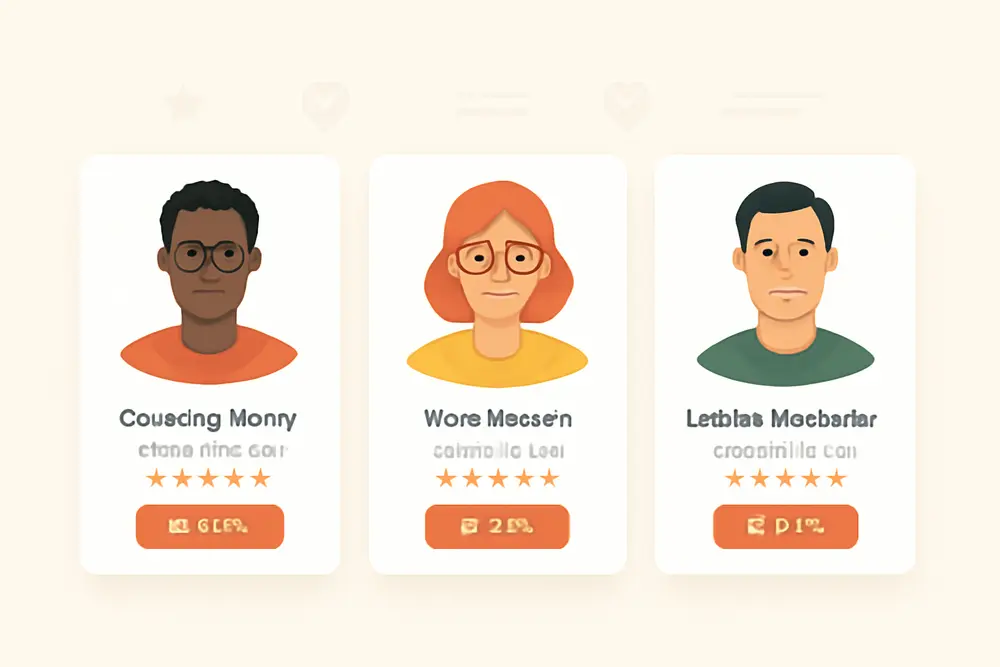
Your About page gets all the love, but the real conversion engine on most service websites is your staff bio pages. When visitors can see the humans behind your brand, trust goes up and friction goes down. The right team member profiles turn scrolling into scheduling by proving experience, signaling authority, and answering the quiet question every buyer has: can I trust this person with my money, time, or problem? Here’s how to build bios that boost E-E-A-T, look sharp on mobile, and help your team book more calls without adding pressure to your sales pipeline.
Why Staff Bio Pages Convert
Most prospects are risk managers in disguise. They want to hire the best, but they also want to avoid a bad call. That’s why staff bio pages outperform generic service copy for late-stage visitors. People choose people. A clean headshot, clear credentials, and a few lines that show your team’s local roots do more than fill space. They reduce uncertainty. In Google’s world, they also help your site demonstrate experience, expertise, authority, and trust. If you operate in YMYL categories like health, finance, or legal, your team bios are a direct E-E-A-T lever that can support better rankings and richer click-through from search.
What to Include for Trust
Every element in a high-converting bio does a job. Use this as your checklist and standardize it across your team.
| Element | Why It Works | What To Include |
|---|---|---|
| Headshot | Humans connect with faces. A polished photo signals professionalism. | High-resolution image, consistent background, brand colors where possible, accessible alt text. |
| Name & Title | Clarity builds confidence and sets expectations. | Full name, job title, seniority, and primary specialty. |
| Licenses & Credentials | Direct proof of expertise that supports E-E-A-T. | Active licenses, certifications, degrees, awards, memberships. |
| Experience | Shows pattern recognition and ability to handle edge cases. | Years in role or industry, types of clients, notable projects. |
| Local Ties | Local trust and local SEO lift. People hire neighbors. | City or neighborhood, volunteer work, chambers, events. |
| Review Snippets | Third-party validation closes trust gaps fast. | Short quote, client name or location, link to full review. |
| Contact & CTA | Removes friction and tells visitors what to do next. | Direct email or booking link, clear button label. |
| Personality | Makes your team memorable and relatable. | Values, brief story, 1 fun fact. Keep it concise. |
Headshots: Invest in consistent, well-lit headshots for every team member. Ditch filters and heavy retouching. Use the same crop, background style, and angle across the board so the page feels cohesive. Name your images with the person’s name and role, and write alt text like “Headshot of Jordan Lee, Licensed Clinical Social Worker.” That small move improves accessibility and helps search engines understand the content.
Titles, licenses, and credentials: Put the most trust-driving info within the first screen on mobile. For regulated roles, list the exact credential, license number where appropriate, and issuing state or authority. Example: “Licensed Electrician, State of Ohio, License EL.012345.” If you have awards or notable associations, give them a visual badge or line-level highlight near the name so they do not get lost.
Experience summary: Keep your paragraph tight. Two or three sentences on who you help and how you help them is enough. Replace fluff with specifics: industries served, techniques used, or outcomes achieved. Think “I help first-time homebuyers win competitive offers” instead of “I am passionate about real estate.”
Local and community ties: Local identity builds rapport and supports local SEO. Mention your city or neighborhood and one or two community involvements that matter to your audience. If you sponsor events or partner with local organizations, include a line and link. Being present in your community is a strong trust signal for both people and search engines.
Review snippets: Pull one short, specific quote that maps to the work this person does. Keep it to one or two sentences, and attribute it with a name and city or company when possible. Link to the full review source if it is public. Rotate quotes quarterly so repeat visitors see fresh proof.
Direct contact and CTA: Put a single, obvious action near the top and repeat it at the end. Buttons like “Book With Taylor” or “Schedule A Call” outperform vague links. If your process requires a central scheduler, clarify it with microcopy like “Book With Taylor via Our Front Desk.”
Personality without oversharing: A short origin story or value statement adds warmth, but keep private details private. One personal line helps people connect, especially in service categories that require trust. A sentence like “Weekend trail runner who never misses the farmers market” is just right.
Layout Tips That Drive Clicks
The same content can perform wildly differently based on layout. Design choices should remove cognitive load and spotlight trust signals. Here is how to structure your staff bio pages so visitors keep moving toward a booking.
Use a clean, scannable grid. On desktop, two or three columns work well for team lists. On mobile, go single column with generous spacing. Keep headshots the same size to avoid a messy feel. Add clear spacing between each section of the bio so people can find what they came for fast.
Lead with the essentials. On the individual bio page, stack like this near the top: headshot, name and title, primary credential or license badge, 2 to 3 sentence “how I help” paragraph, and a sticky or repeated CTA. Save the extended story and additional reviews for lower on the page.
Highlight proof with visual callouts. Use a badge or highlight box for licenses, certifications, or awards. Place review snippets in pull quotes so they pop. Do not bury the most convincing elements in a wall of text.
Respect mobile-first behavior. Most visitors skim on phones. Use short paragraphs, descriptive subheads like “Education & Credentials” and “Local Roots,” and buttons that pass the thumb test. Make phone numbers clickable. Ensure the call-to-action is always reachable without long scrolling.
Keep it consistent. Standardize fonts, image crops, spacing, and the order of sections across all profiles. Consistency builds brand trust, speeds reading, and keeps your team page from looking thrown together. Create a short internal style guide and hold every new bio to it.
Mind speed and accessibility. Compress images, use modern formats like WebP, and lazy load below-the-fold photos. Add alt text on all headshots. Check color contrast on buttons. Include descriptive link text instead of “click here.” These are conversion features as much as they are UX basics.
E-E-A-T and SEO Signals
Your staff bio pages can be silent ranking partners if you feed search engines credible, structured information. Here are the levers that help your profiles support E-E-A-T and rich results.
Use Person schema. Mark up each bio with Person structured data so search engines can parse who this person is and why they are qualified. Include fields like name, jobTitle, image, email, telephone, sameAs links to professional profiles, worksFor, hasCredential, license info, alumniOf, award, and areas of expertise. If you use review snippets on the page, be truthful and avoid misleading markup.
Show ownership and freshness. Add a small line that indicates who wrote or approved the bio and when it was last updated. Update credentials and community involvement at least twice a year. If someone leaves the company, either unpublish their page or add a note and redirect to a relevant team page to avoid confusion.
Make contact info real and visible. A real email address, a phone number, or a booking method linked to that person helps both users and crawlers connect the dots. If you must use a form, include a fast route from the profile to that form and confirm where the message goes.
Connect to external authority. Link to professional associations, license lookups, and interviews or articles that feature the team member. The goal is not to send people away. The goal is to validate the person’s authority with third-party proof that search engines can crawl and users can verify.
Promote community involvement. Sharing local partnerships, volunteer work, and event participation sends credibility signals. It also supports local SEO by associating your brand and your people with local entities online. Consider an annual roundup post that highlights your team’s community impact and link each person’s involvement from their profile.
Do’s and Don’ts
Do make it easy to book. Put a single, clear CTA near the top of the bio and repeat it at the end. If scheduling varies by service, add a short explainer above the button to eliminate confusion.
Do verify everything. Credentials, license numbers, and awards should be fact-checked and kept current. Include the issuing body so a visitor can verify in one click.
Do use plain language. Replace buzzwords with real outcomes and specific services. Write like you talk to a smart client.
Do protect privacy. Use professional contact channels. Avoid sharing personal addresses, kids’ names, or anything that creates security risk.
Do not use low-quality photos. Blurry, inconsistent headshots make your brand feel sloppy. If budget is tight, photograph everyone on the same day, in the same location, with the same setup. Consistency beats glamour.
Do not overshare. A line or two of personality is great. Long personal histories or unrelated hobbies can distract and reduce conversions.
Do not hide the good stuff. If you have 500 reviews for this person, bring one to the page and link to the library. If your engineer holds a patent, make that a badge near the name, not a footnote at the bottom.
Copy-Ready Bio Template
Copy, paste, and tailor this template to roll out consistent team member profiles fast. Keep everything you see below in the same order across your team.
[Headshot]
[Full Name], [Title or Role]
[Primary Credentials] [License details if applicable]
What I Bring To The Table
[1 short paragraph on who you help, your specialties, and typical outcomes.]
Education & Credentials
[Degree, School, Year] | [Certifications] | [Awards or Memberships]
Local Roots
Based in [City or Neighborhood]. Involved with [Local Groups, Chambers, Events].
What Clients Say
[One-sentence review highlighting a skill or result.]
[Name, Company or City] | Read the full review
About Me
[1 to 2 lines with a value statement or fun fact that supports rapport.]
Book With [First Name]
Microcopy tips for this template: When you say what you bring to the table, start with a verb. For example, “Guide first-time buyers through competitive markets,” or “Engineer custom Shopify builds for lifestyle brands.” In the review box, pick quotes that match the services the person sells so the proof lines up with the CTA.
Examples to Model
Use these fictional examples to see how the pieces fit together in different industries. Adjust tone to match your brand, but keep the structure steady.
Example 1: Mental Health Clinic
Jordan Lee, Licensed Clinical Social Worker
Jordan helps adults navigate anxiety and life transitions with evidence-based therapy. She specializes in short-term CBT and mindfulness techniques for professionals balancing career and family demands.
Education & Credentials: MSW, University of Michigan. LCSW, Illinois Dept. of Financial and Professional Regulation. Member, NASW.
Local Roots: Based in Logan Square. Volunteer facilitator at Hope House Community Center.
What Clients Say: Jordan is a great listener who gave me practical tools I could use the same week.
— Maya, Chicago
Example 2: Electrical Contractor
Rafael Ortiz, Master Electrician
Rafael designs and installs residential EV charger setups and panel upgrades for older homes. He focuses on clean installs, clear timelines, and safety-first planning.
Licenses & Training: Master Electrician, State of Texas, ME123456. Tesla Certified Installer. OSHA 30.
Local Roots: Serving East Austin since 2012. Sponsor, Maplewood Elementary Robotics Club.
What Clients Say: On time, neat work, and he explained every step. Our charger was live in a day.
— Chris B., Austin
Action Steps to Launch
Audit your current profiles. Open your staff bio pages on your phone and ask: Can I tell what this person does in 5 seconds? Do I see a credential or license before I scroll? Is there a clear way to book with them? If you are missing any of those, start there.
Set your standard. Create a one-page internal checklist that includes headshot specs, section order, credential format, review quote rules, and CTA copy. This becomes your source of truth every time you add or update a profile.
Gather assets in one sprint. Book a 2-hour photo session and capture every headshot in the same setting. Collect licenses, award names, and one review quote per person. Ask for any needed verification links, like state boards or association profiles.
Start with your top 5 revenue drivers. Update the bios for the team members who sell or deliver your most-booked services first. Add the booking buttons and test them from a phone. Fix any friction before rolling out across the rest of the team.
Assign an owner and cadence. Someone needs to own the bio program. Set a 6-month review cycle to refresh headshots, update credentials, rotate quotes, and check links. Add a quick Slack or email reminder a week before the review so it actually happens.
Tracking and Optimization
Measure what matters and make small, steady improvements. Here is a simple analytics plan you can run without adding chaos to your reporting.
Define your conversion. For bio pages, the conversion is usually a booking click, a contact click, a call tap, or a form submit. Set up events in Google Analytics and tag CTA buttons with consistent naming like book_with_[name]. Use UTM parameters if your bios will be shared externally.
Watch behavior signals. Track page views, time on page, scroll depth, and exit rate for each profile. If people leave early, tighten the intro and pull critical proof higher on the page. If time on page is high but clicks are low, test clearer CTAs or add a review snippet.
Run simple tests. A-B test headshots vs. head-and-shoulders crops, short vs. long intros, and two versions of CTA copy such as “Book With Alex” vs. “Schedule A Call With Alex.” Run each test for at least two weeks or 500 unique visits per profile, whichever comes first.
Listen to sales. Ask your team which bios prospects mention on calls. If one profile keeps getting shout-outs, study the structure and copy it across the team. If a service line is underperforming, consider adding a case example or a sharper proof point to those bios.
Close the loop with search. Add Person schema to each page, link to relevant service pages, and include the team member profile in your XML sitemap. Update last modified dates when you make real changes. Over time, these steps help your staff bios strengthen your entire site’s authority.
If you want to go deeper on community involvement and its impact on local authority, see this guide on community involvement for brand authority and local SEO. When your people show up locally and your site shows it off, both humans and search engines take notice.