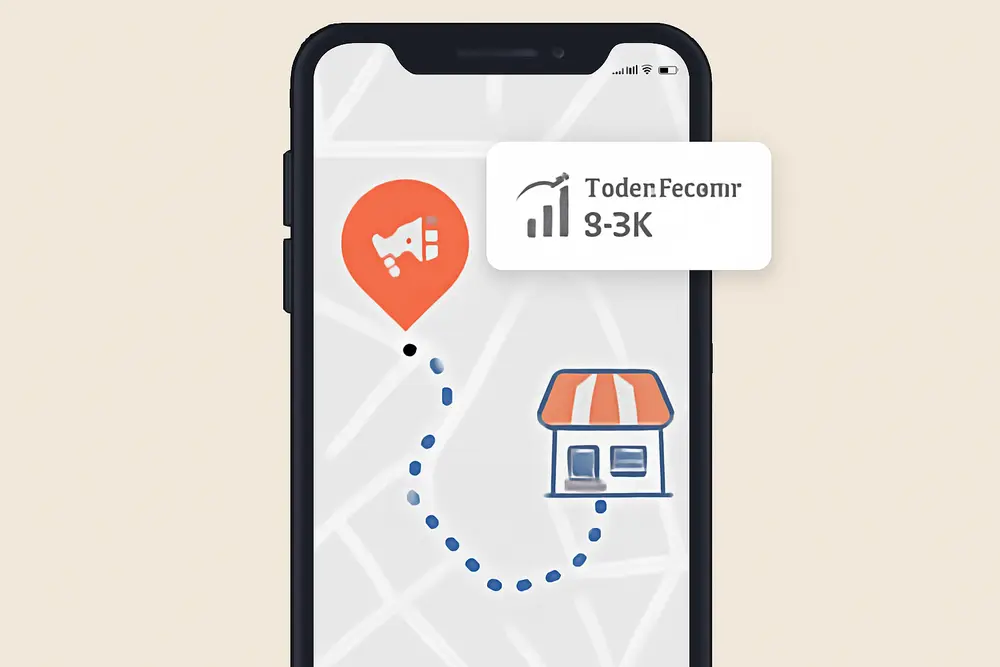
Drivers using Waze are not casually browsing. They’re literally on the road, near your store, and ready to make a quick decision. That is why Waze advertising paired with in-store visit tracking is a perfect fit for local businesses that live and die by foot traffic. The big shift right now is that you can reach Waze users through Google Ads Performance Max with store goals, then measure store visits and local actions to prove real-world ROI. Below is a step-by-step playbook to launch, optimize, and report on Waze placements like Pins, Search, and Arrow, complete with promos, dayparting, and the tracking you need to show this channel is pulling its weight.
Why Waze Ads Win For Local
Waze users are on the move with intent. They’re looking for gas, coffee, pizza, hardware, a pharmacy, or a quick bite after a long day. When your brand shows up at that exact moment near their route, you cut through the noise of traditional display and reach someone who can actually swing by today. With Google Ads rolling Waze inventory into Performance Max for store objectives in the U.S., you can place your business on the Waze map as a promoted location and tap into in-store visit tracking that ties impressions to real foot traffic.
Unlike broad awareness plays, Waze advertising excels at bottom-of-funnel discovery near your store. Think click-to-navigate behavior, get directions taps, and quick detours. And with store visit conversions and local actions reporting, you can benchmark cost per visit, optimize bids, and scale only when the math makes sense.
Waze Ad Formats Explained
Waze offers several high-intent placements designed for drivers. Even if you route Waze via Performance Max, it pays to understand what users will actually see and how to design assets that work in a fast-moving, map-first environment.
Pins. Branded pins place your business on the Waze map as drivers approach. They function like a digital storefront sign. Keep your icon simple and recognizable at small sizes. Avoid text overlays inside the icon. Make sure your brand colors hold up on both light and dark map backgrounds.
Search. When drivers search for a brand or category inside Waze, sponsored results can place your location above organic listings. This is strongest for category searches like coffee shop, tire repair, or pharmacy near me. Relevance and proximity matter, so confirm your categories and naming match what your customers actually type.
Arrow. Arrows appear at the edge of the screen to cue that your business is just off the visible map area. They’re small but mighty for awareness within a short driving window.
Takeovers. Also called zero-speed takeovers, these appear when the driver is stopped. They’re larger, more visual, and work well for limited-time promos. Use them carefully to avoid fatigue.
Creative guidelines from Waze prioritize clarity: a clean logo icon, minimal text, and a direct call to action that lines up with driver intent like Go There, Save This Place, or Get Directions. Even when you supply assets through Performance Max, that same logic applies. Choose icons and copy that are legible on small screens and instantly understood at a glance.
| Format | Where It Shows | Best Use | Creative Tip |
|---|---|---|---|
| Pin | On the map while driving | Always-on local presence near store | High-contrast, text-free icon |
| Search | Waze search results | Category or brand discovery | Match categories to real queries |
| Arrow | Edge of screen prompt | Cue to nearby location off-screen | Keep branding simple |
| Takeover | When stopped | Limited-time promos and launches | Bold offer and clear CTA |
Set Up Performance Max
Waze inventory in the U.S. is available through Google Ads Performance Max when you choose store-focused goals like Store Visits, Store Sales, or Local Actions. You do not need to build Waze-only ads. You provide assets in your Performance Max asset groups and Google can serve your business as a promoted place on Waze along with other Google surfaces. Here is how to get it right from the start.
Connect Locations And Pick The Right Goal
Start a new Performance Max campaign in Google Ads and select a store objective such as Store Visits or Store Sales. Link your Google Business Profile so Google knows which real-world locations to promote. Use location groups for clean control over which stores are in which campaigns. If you have many stores, group them by region or performance tier to keep budgets and reporting tight.
Define Targeting And Service Areas
For local reach, use your location groups as the backbone and set a geo-target that covers the trading area for each store. Many retailers succeed with 5 to 15 miles in suburban areas and 1 to 3 miles in dense urban cores, but your category and average ticket should guide this. A quick-serve restaurant can target narrower and still win. An auto dealer or furniture store can stretch farther.
Load Assets That Work On A Map
Upload clean logos, square icons, and a handful of store-front or product images with minimal text. Add short, punchy headlines like Fresh Coffee 2 Minutes Ahead or 20 Percent Off Wiper Blades Today. Include a description that sells the in-store benefit. If you have video, keep it short and legible without sound. While Waze uses map-first placements, Performance Max will also run on other Google surfaces, so your assets should be flexible.
Use Promotions And Coupon Hooks
Give drivers a reason to detour. A simple offer like Show This Ad For 10 Percent Off or Free Drink With Any Combo Today bridges the gap between impression and purchase. Make sure your staff can redeem the offer with a short code or keyword. Track redemptions at the register so you can compare promo lift with store visit reporting.
Schedule Ads Around Store Hours
Turn your ads on when the doors are open and when commuters are moving past you. Use campaign-level ad schedules to run heavier during morning and evening peaks if that is when you convert best. Many categories see spikes on Fridays and weekends. Match your ad schedule to real traffic patterns, then revisit as seasons change.
Choose A Bidding Strategy That Fits Offline Goals
If you value Store Visits directly, set Maximize Conversions with a target CPA per visit. If you have Store Sales values available or a strong average order value, use Maximize Conversion Value with a target ROAS. Assign a realistic conversion value to Store Visits if you do not have POS-linked sales. You can back into this by multiplying average in-store conversion rate by average order value.
Add URL Tracking And UTM Hygiene
Append UTMs to your final URL to separate Performance Max traffic and to identify channel placements where available. While Waze navigation does not pass UTMs to the navigation app, your broader PMax traffic will, and consistent UTMs keep multi-channel reporting clean.
Track In-Store Visits
In-store visit tracking is what turns Waze advertising from a guess into a growth channel. Google’s Store Visits conversion model uses anonymized, aggregated data and strict thresholds. You will only see Store Visits if your accounts and locations have enough signals, your Google Business Profile is verified, and your campaigns are driving sufficient local actions. Expect a delay of days to weeks before conversions appear and a longer window for stable results.
Confirm Eligibility And Set The Conversion
Inside Google Ads, create or enable the Store Visits conversion action. Confirm your Google Business Profile is linked, your locations are verified, and location extensions are active. If you are not yet eligible for Store Visits, use Local Actions like Get Directions and Calls as proxy conversions while you build volume.
Assign Values To Offline Actions
Give Store Visits a sensible value based on your average in-store conversion rate and average order value. For example, if 30 percent of visitors buy and your average order value is 40 dollars, a visit is worth 12 dollars on average. This lets you set CPA or ROAS targets that Performance Max can actually optimize against.
Wait For Data To Mature
Foot traffic measurement has a longer feedback loop than online clicks. Plan for at least 30 days to judge performance and avoid knee-jerk decisions during ramp-up. Use longer lookback windows in your reports and compare like-for-like days where possible.
Track Store Sales If Available
If you can pass offline revenue, consider Store Sales Direct or an offline conversion import from your POS or CRM. Match on time, location, and privacy-safe identifiers to capture revenue impact. Even a partial match rate can sharpen your ROAS targets over time.
Optimize For More Foot Traffic
Performance Max will learn across channels, including Waze, but you still steer the ship with assets, schedules, promotions, and budgets. The goal is simple: lift visits at a lower cost per visit and lift revenue per visit in-store.
Run Time-Boxed Promos
Rotate two to three offers per month to avoid fatigue. Use clear, short codes by store to see which asset group or region is pulling the most redemptions. If a promo is tied to a specific daypart, like Happy Hour 2 to 5 PM, align your ad schedule to those windows and push budget accordingly.
Match Creative To Driver Intent
A driver 2 minutes away needs a different message than a planner 20 minutes out. Short headlines like Turn Right For Fresh Bagels or Tire Repair Ahead Win Today let drivers act fast. Test calls to action like Drive There, Save Location, or Get Directions to learn what produces the most local actions for your category.
Turn Up Ads When Your Team Can Convert
No one wins when the line is out the door and your crew is slammed. If staffing is a constraint, reduce delivery during those crunch windows, then add budget when you can deliver a great experience. Positive reviews and repeat visits follow operational excellence.
Use Channel Reporting
Google now provides channel performance reporting that breaks out how Performance Max performs across surfaces, including Waze. Keep an eye on how Waze contributes to Store Visits and Local Actions versus other channels like Maps or Search. If Waze-driven visits are strong and cost per visit is healthy, continue feeding the beast. If another surface outperforms in your area, shift budgets and assets accordingly.
Measure ROI Like A Pro
Reporting offline success is all about clarity and consistency. Decide on the handful of metrics that prove impact, track them weekly, and compare them to your in-store revenue and margin.
Metrics That Matter
Start with Store Visits, Local Actions like Get Directions and Calls, and Cost per Visit. Add Visit-to-Sale Ratio and Revenue per Visit if you can link sales. For promo-led testing, compare redemption rates and average ticket for customers who saw your Waze placements during the promo window. If you run multiple stores, calculate these by location to spot winners and laggards.
Attribution Settings
Store Visits use modeled, privacy-safe attribution. Stick with data-driven attribution for most accounts to reflect blended behavior. If you need a strict read on navigations and visits, review local action metrics on a last-click basis as a directional lens, but do not ignore the assist value you see in data-driven models.
Budget And Bidding Decisions
Use Cost per Visit and ROAS trends to scale. If Cost per Visit drops while visit volume holds, increase daily budgets incrementally. If Cost per Visit rises, adjust schedules, rotate creative, refine your radius, or test a stronger promo before cutting budgets. Always evaluate over a full 30-day period to account for conversion lag.
Reporting Cadence
Run weekly spot checks for pacing and asset fatigue, then publish a monthly rollup with store-level results, channel contribution, and promo insights. Include a simple forecast for next month’s visit volume based on your current CPA and budget, then compare forecast vs actual to keep everyone aligned.
Real-World Examples
Big retailers have long used navigation ads to push foot traffic. For instance, a large-box retailer in Latin America worked with a mobile data partner to connect Waze ad exposure to store visits and saw notable lifts in on-site traffic during the campaign period. The key drivers were proximity, clean map-first creative, and limited-time discounts that encouraged quick detours.
Here is a practical local playbook you can adapt today:
The Local Pizza Chain. A three-location pizza brand runs Performance Max with Store Visits enabled and Waze inventory active in the U.S. They segment campaigns by store, use a 3-mile radius in the city and 6 miles in the suburbs, and set ad schedules for 11 AM to 2 PM and 4 PM to 9 PM. Creative centers on Fast Slices Ahead and 2 Slices + Drink 7 Dollars. Staff enters a short code WAZE7 on the POS when shown the promo on a phone. After 45 days, Store Visits show a healthy cost per visit of 6.80 dollars, redemptions align with peaks, and average ticket from promo customers is only 8 percent below non-promo orders, which is acceptable for weekday lift. They scale budgets by 25 percent on Fridays and Saturdays, then test a family bundle on Sundays to push carryout.
The Auto Service Shop. A single-location auto shop targets a 10-mile radius and runs Always-On Free A/C Check This Week in early summer. Headlines emphasize 10 Minutes Ahead and Same-Day Appointments. Calls and Get Directions climb, and Store Visits start populating after three weeks. They assign a 25 dollar value per visit based on a 20 percent visit-to-service rate and an average order value of 125 dollars. With cost per visit at 9.50 dollars and a service close rate slightly higher for Waze-initiated customers, they push more budget on weekday commute windows and pause Sundays.
Troubleshooting And Tweaks
If you are not seeing Store Visits yet, first verify your Google Business Profile linkage, store verification status, and that Performance Max is targeting active location groups. Confirm that your campaign has run long enough and reached sufficient scale. If Store Visits still do not populate, rely on Local Actions and promo redemptions as interim KPIs while volume grows.
If cost per visit is high, shrink your radius, tighten schedules to peak hours, and test a stronger promo with a short expiration. Make sure your icon is legible and your offer can be read at a glance. If you serve a niche category, revisit your business categories inside Google Business Profile so Waze and Maps understand your relevance for category searches.
If asset fatigue sets in, rotate creative monthly. Even small icon tweaks like background color or border weight can reset attention on the map. For promos, keep the code fresh and the benefit obvious. Free Add-On Today often outperforms Percent Off for quick detours.
FAQ
Can I Buy Waze Ads Directly Outside Google Ads?
Waze placements for most local advertisers in the U.S. are now handled through Google Ads Performance Max with store goals. You provide assets once, and Google can place your business on Waze and other surfaces. Direct buying options have evolved, and the simplest current path for local businesses is through Performance Max.
Do I Control Which Waze Formats I Get?
You do not choose formats one by one inside Performance Max. You supply assets and Google selects eligible placements. On Waze, that commonly includes promoted pins in navigation and other map-first units that fit your assets and objective.
How Long Until Store Visits Start Showing Up?
Expect a delay of several days to a few weeks. Store Visits require enough aggregated signals to clear privacy thresholds. Plan to evaluate performance on a 30-day window at minimum.
What If I Am Not Eligible For Store Visits Yet?
Use Local Actions like Get Directions, Calls, and Clicks To Website as leading indicators. Pair them with in-store promo redemptions and staff tallies to estimate foot traffic impact until Store Visits are available.
Will Dayparting Actually Help?
Yes, if your category has clear peaks. Many local businesses see strong results by concentrating spend during commute windows, lunch, and early evening. Test schedules for two weeks at a time and compare cost per visit.
Can I Track Actual Sales, Not Just Visits?
Yes, if you can pass offline revenue using Store Sales or offline conversion imports from your POS or CRM. Even a partial match improves ROAS accuracy.
When To Expand Or Add Stores
Scale when three things happen at once: your cost per visit is at or below your target, your visit volume is stable week over week, and your staff can handle the lift without hurting service quality. If you run multiple stores, roll out in waves and use what you learn from early stores to set promos, schedules, and budgets for the next batch. Keep a shared asset library so each store’s icons and offers are consistent, then let each location flex a signature item or regional promo to localize results.
Tie It Into Your Full Stack
Waze advertising gets even stronger when your other local signals are tight. Keep your Google Business Profile accurate, with the right categories, hours, and attributes. Maintain location pages on your site with unique content and embedded maps. Collect and respond to reviews. Sync your POS or CRM for offline imports. Together, these make every impression on Waze and Maps more relevant and measurable.
If you want help setting this up end to end, our team runs Performance Max for local stores daily and can handle the creative, scheduling, in-store visit tracking, and reporting. Explore our PPC services, Google Ads management, local SEO, and analytics and tracking, then ping us with your store count and goals. We will map a route to more visits, fewer wasted impressions, and clearer foot traffic ROI.