If your phone is ringing but you have no clue which click paid for it, you’re flying blind. Local businesses need call tracking to connect SEO and PPC to revenue, but the second you spray different phone numbers across your site and citations, Google thinks you’ve moved or multiplied. Rankings wobble, verification emails appear, and your Google Business Profile suddenly looks like it skipped leg day. Here’s a practical, field-tested way to use dynamic number insertion for clean attribution while keeping NAP signals rock solid.
Why Call Tracking Gets Blamed For Dropped Rankings
Local search is built on trust. When your name, address, and phone number show up consistently on your site, Google Business Profile, and major directories, Google’s confidence goes up. When five different numbers show up around the web, it looks like a mess, even if you were just eager to track marketing channels. Replock’s NAP Consistency and Local Citation Audit Plan breaks this down plainly: one standard Name-Address-Phone set across your primary assets wins the local trust battle, and multiple live variants tend to erode visibility and trigger cleanup work you didn’t budget for. Their guidance includes adopting one standard NAP and using USPS Publication 28 address formatting so every signal lines up the same way.
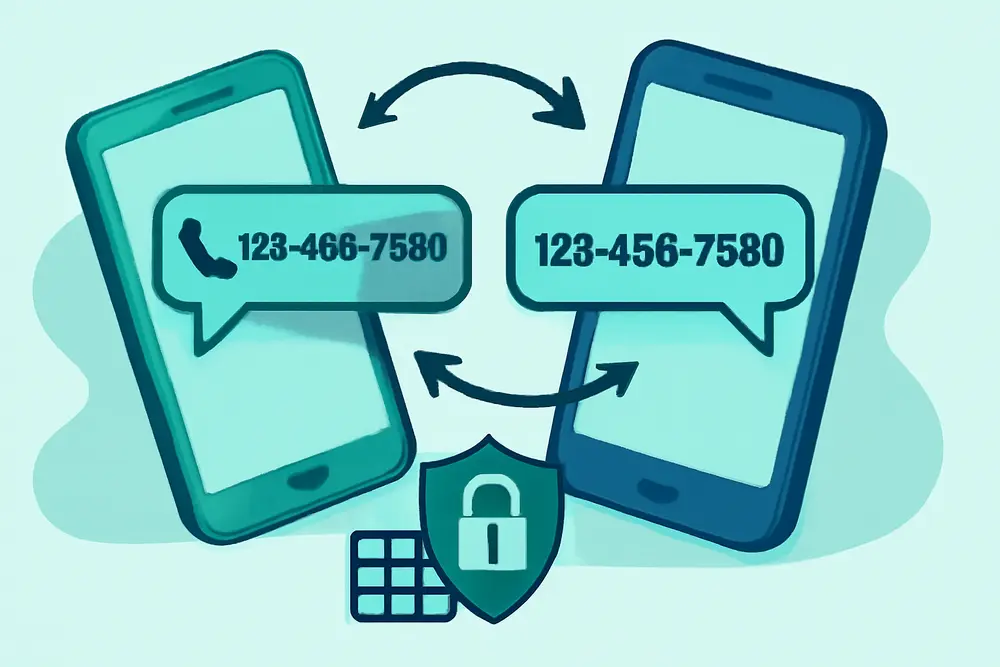
Call tracking only hurts rankings when it corrupts your canonical number in public, indexable places. The fix is simple: pick one canonical phone number as your anchor, keep it in your HTML and schema, and use JavaScript to swap the number for users based on their source. That way, you get attribution without creating a trail of conflicting phone numbers across the web.
Your Canonical Number Anchor
Your canonical phone number is the single, public-facing number that represents your business. It’s the one Google should see in your HTML source, in LocalBusiness schema, as your primary number in top directories, and typically within your Google Business Profile. Think of it as the phone version of your homepage URL. If you build everything around it, call tracking becomes safe and predictable.
How to pick the right canonical number:
Use a local area code that matches your market and will not change. Avoid toll-free numbers for local SEO because they dilute locality signals and can lead to weaker trust compared to a true local line. Make sure the number forwards and routes reliably to your team or phone system. Document this NAP set and use it consistently on your website footer, contact page, GBP, major directories, and schema. Replock’s plan underscores the value of one standard primary number across core listings to reduce confusion and cleanup work after the fact.
What Is Dynamic Number Insertion (DNI)?
Dynamic number insertion is a method of swapping the phone number that users see on your site, depending on their traffic source. The magic happens in JavaScript after the page loads. Your canonical number stays hard-coded in the HTML and schema, so search engines crawl the correct number. Meanwhile, qualified users see a tracking number tied to their session or channel. GroupFractal’s guide explains that properly implemented DNI leaves the canonical number intact in your HTML while replacing it on the front end for human visitors, which protects local signals while unlocking channel-level attribution.
When to show a tracking number:
Show it for paid clicks, specific campaign UTMs, or any measurable traffic source you want to attribute. You can even use number pools for higher volume sources like Google Ads so each visitor gets a unique number, which improves accuracy for session-level tracking.
Safe Website Setup
The golden rule: the canonical number belongs in your server-rendered HTML and schema, and the DNI script should only swap what users see after the page renders. This avoids creating alternate phone numbers in places that Google or directories might scrape. Footbridge Media warns that hard-coding tracking numbers breaks NAP and can absolutely crater local trust, while dynamic insertion is the responsible approach.
Practical setup approach:
1) Place your canonical number in the HTML where it appears, including the header, footer, and contact page. Use a consistent format and click-to-call link.
2) Add LocalBusiness schema with the same canonical number. Keep it updated if your number changes down the road.
3) Load a DNI script that replaces the visible number for eligible sessions. The script should key off UTMs, gclid, fbclid, or referrer. It should not rewrite the number in your structured data.
4) Include a noscript fallback so users without JavaScript still see a clickable canonical number.
5) Test with View Source to confirm the canonical number is present in the raw HTML, then test in Chrome’s Inspect to confirm the number changes for users with DNI conditions. Also, check the rendered output with a fetch tool or your call tracking provider’s QA tools.
Here’s a simple pattern you can adapt:
<a class="js-dni-phone" href="tel:+15551234567">(555) 123-4567</a>
<noscript><a href="tel:+15551234567">(555) 123-4567</a></noscript>
<script>
// Example idea only - use your provider's script
(function() {
var params = new URLSearchParams(window.location.search);
var source = params.get('utm_source') || '';
var isAds = params.has('gclid') || source === 'google_ads';
var trackingNumber = '(555) 987-6543';
var trackingHref = 'tel:+15559876543';
if (isAds) {
document.querySelectorAll('.js-dni-phone').forEach(function(el) {
el.textContent = trackingNumber;
el.setAttribute('href', trackingHref);
});
}
})();
</script>
And a LocalBusiness schema example with your canonical number:
<script type="application/ld+json">
{
"@context": "https://schema.org",
"@type": "LocalBusiness",
"name": "Example Plumbing",
"image": "https://www.example.com/logo.png",
"url": "https://www.example.com/",
"telephone": "+1-555-123-4567",
"address": {
"@type": "PostalAddress",
"streetAddress": "123 Main St",
"addressLocality": "Springfield",
"addressRegion": "IL",
"postalCode": "62701",
"addressCountry": "US"
}
}
</script>
GBP Setup And Citations
Your Google Business Profile is often the most visible place your number appears, and Google uses it as a reference point for corroborating data across the web. You have two safe options here:
| GBP Setup | When To Use | Pros | Watch Outs |
|---|---|---|---|
| Primary: Canonical Number, Additional: None or Tracking | Most businesses that use DNI only on the site | Simplest, reduces mismatches across directories | PPC calls from the GBP call button won’t be auto-attributed |
| Primary: Tracking Number, Additional: Canonical | When you need attribution for calls from GBP itself | Tracks calls from the call button and call ads | Be consistent everywhere and avoid frequent changes |
Replock’s guidance shows both patterns can work when you keep the canonical number present as the secondary if you use a tracking number as primary, and you avoid constant edits that trigger revalidation. Whichever route you choose, keep your decision documented and consistent. If you publish the tracking number as primary in GBP, do not push it to third-party directories. Keep your canonical number in major citations like Bing Places, Yelp, Apple Business Connect, and your industry directories for stable corroboration.
For directories and data aggregators, stick to the canonical number. Avoid seeding tracking numbers across citation networks because they linger and create long-term cleanup projects. If a marketing partner requests a directory listing with a tracking number, say no and offer to track from a landing page or through DNI on your site instead.
Multi-Location And Offline
Multi-location operators need to separate signals and calls cleanly so Google, customers, and your team all know which office is responsible. A few practical guardrails will save you rework later:
Give each location its own canonical local number and keep it in that location’s page HTML, schema, and listings. Do not reuse one number across multiple locations. If you’re using DNI, use per-location number pools so a Miami user never sees a Denver number. Robben Media points out that location-aware tracking and matching area codes support both higher conversion rates and cleaner attribution for SEO and ads.
For offline sources, use all the tracking numbers you want. Yard signs, postcards, billboards, event banners, TV, and radio are not being scraped like web pages. Just make sure those offline tracking numbers forward to the correct location and that you log them in your analytics or CRM with a source tag. Many call tracking platforms can feed offline calls into Google Analytics and your CRM, so you see lift from direct mail or community sponsorships right next to your digital channels.
Analytics And Reporting
Call tracking only pays off when you can trust the data and act on it. Wire your tracking setup into your analytics so you can attribute calls down to the channel, campaign, keyword, and location. Onward SEO’s local fixes recommend pairing DNI with click-to-call events and monitoring GBP call history so you get a clearer read on marketing impact across both paid and organic channels.
Practical analytics plan:
In GA4, fire events for click_to_call on mobile and for successful call connections if your provider supports it. For calls that originate from PPC, import call conversions into Google Ads when possible. Many providers can push qualified calls back to Google Ads as conversions so Smart Bidding learns from real revenue events. Define conversion quality thresholds, such as calls longer than 60 seconds or tagged with a sales outcome in your call software. Keep your KPI list tight: calls by source and location, cost per qualified call, booked appointments by channel, and call answer rate and speed by location. Those few numbers are enough to spot opportunities and prioritize fixes.
Dashboards help busy owners and managers. Whether you use your provider’s reporting, Looker Studio, or a CRM dashboard, show calls by source and location on one page with trend lines. Add a weekly note about which campaigns improved and which need love. Then use call recordings and transcripts to coach staff on call handling, which often boosts conversion faster than changing a bid strategy.
Common Pitfalls To Avoid
There are a handful of mistakes that keep coming up in audits. VoiceTotal’s 2025 guide rounds up many of these and explains why they cause issues for local rankings.
Do not replace your canonical number everywhere with a tracking number, even if a vendor promises it’s fine. Hard-coding a tracking number on your site or pushing it to directories creates conflicting signals. Avoid toll-free numbers when your goals are local rank and conversion. Reserve them for national campaigns if needed. Do not let tracking numbers slip into your schema. Keep your LocalBusiness telephone set to your canonical. Avoid sloppy routing. If calls fail or go to the wrong location, users complain, reviews suffer, and GBP performance dips. Lastly, test both how users see the number and how bots see the number. View Source should show the canonical number. The rendered DOM should only show a tracking number when the session qualifies for a swap.
Quick Setup Checklist
- Pick one canonical local number per location and document your NAP.
- Keep the canonical number in HTML, LocalBusiness schema, and major directories.
- Use DNI that swaps numbers only after page load or for tagged sessions.
- Decide your GBP approach: tracking as primary with canonical as secondary, or canonical only in GBP with DNI on-site.
- Use number pools for higher volume PPC traffic; keep area codes local.
- Track click-to-call and qualified call conversions in GA4 and Google Ads.
- Assign separate tracking numbers to offline campaigns and log them in analytics.
- Audit quarterly for number leaks in citations and schema.
Tool Tips And Provider Features
You have plenty of platform options, so focus on features that make local SEO safe and operations smooth. Look for local number availability in your market so you can match area codes. Make sure you can port numbers out if you ever switch vendors. Confirm number pools, session-based DNI, and integrations to GA4 and Google Ads. Ask about call recording and transcription with privacy controls. Evaluate routing rules by time of day and caller location so customers never hit a dead end. Lastly, ensure your provider gives you a QA mode to preview number swapping without exposing tracking numbers to crawlers.
Testing And QA Steps
Testing is where most call tracking setups either shine or cause trouble. Start by loading your homepage with no UTMs to confirm you see the canonical number. Next, add a mock UTM string such as utm_source=google_ads and confirm the DNI script swaps the number. Click the number on the mobile and verify that the right tracking number is dialed. In your analytics, confirm click_to_call events are firing with the correct UTM values or gclid. Use your call tracking provider’s debug panel, if available, to verify which number pool is being used.
To check what search engines see, use View Source to confirm the canonical number is hard-coded. Use a rendering test like Google’s Rich Results Test to view the rendered HTML and confirm your schema still contains the canonical number. For multi-location sites, repeat these steps on each location page to make sure the right canonical and tracking numbers are used consistently.
Realistic Attribution Examples
Let’s connect calls to spend with a few examples you can model in your reports. For SEO, segment calls by landing page. If a user lands on your “Water Heater Repair” page from organic and calls for 90 seconds, count it as a qualified organic conversion tied to that page. For PPC, track by campaign and keyword group. A Google Ads visitor who lands on a UTM-tagged page sees a pool number, which gets logged back to the campaign and search term. In GBP, if you set a tracking number as primary, your provider should tag those calls with a “GBP” or “Local pack” source. Feed those outcomes back into your budget plan so you do not accidentally starve the channels that are driving booked jobs.
When To Keep It Simple
Not every small shop needs number pools and offline import workflows on day one. If your volume is modest, start with one on-site DNI number for PPC and your canonical everywhere else. Track click-to-call in GA4, listen to recordings for quality, and upgrade to number pools when the channel scales. The biggest gains come from clean NAP, well-structured pages for your services and locations, and a fast response to every call. Fancy attribution should never get in the way of actually answering the phone.
FAQ
Does call tracking hurt my Google Business Profile?
It only hurts when tracking numbers replace your canonical number in places that get scraped and indexed. Keep the canonical number in your HTML, schema, and directories. If you use a tracking number in GBP, add your canonical as the secondary number. Avoid constant edits that trigger revalidation.
Should I use a tracking number as my GBP primary?
Both approaches work. If tracking GBP-originated calls matters a lot, use the tracking number as primary and put your canonical as secondary. If you prefer maximum simplicity, keep the canonical as primary and handle attribution with DNI on your site. Replock outlines both patterns as safe when implemented consistently.
How many tracking numbers do I need?
For low volume, one number per channel is fine. For higher volume PPC, use a number pool so each visitor can be tied to a unique number, and your attribution is more accurate. For multi-location, keep pools separate by location.
Can I use toll-free tracking numbers for local SEO?
You can, but you probably shouldn’t for local ranking and conversion. Local area codes build trust. Save toll-free lines for national or brand-level campaigns.
Will Googlebot see my tracking number?
If you keep the canonical number in your HTML and schema and only swap numbers on the front end with JavaScript, crawlers that parse the raw HTML will see your canonical number. That’s the goal. Always verify with View Source and a rendered test.
How do I test that my setup is safe?
Open your page with and without UTMs. Confirm the canonical number is in the source and schema, and that the visible number swaps only for eligible sessions. Place a few test calls to confirm routing and that analytics logs the source correctly. Review your GBP field entries and top citations to make sure the canonical number is consistent.
If you put NAP stability first and let DNI handle the show for users, you’ll connect every call to the right click without spooking Google. That’s a tidy win for rankings, budgets, and your team’s sanity. For deeper references and examples, check Replock’s NAP plan, GroupFractal’s DNI safety tips, Robben Media’s multi-location guidance, Onward SEO’s event-based attribution suggestions, and VoiceTotal’s best practices roundup:
Replock NAP Consistency,
Replock GBP Call Tips,
GroupFractal DNI For Local,
Robben Media DNI Guide,
Onward SEO Local Fixes,
VoiceTotal Best Practices.