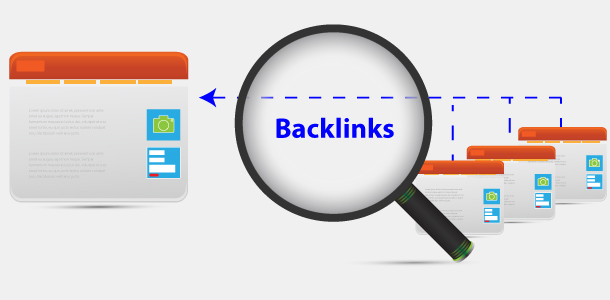
Community calendars exist to spread the word about what is happening locally, making them a natural fit for local SEO. They earn recurring traffic from residents, they carry built-in trust, and they often sit on high-authority domains like city websites, chambers of commerce, schools, and libraries. When your business appears as a supporter, you earn local calendar backlinks that strengthen your market authority.
There is a second benefit that never shows up in a backlink tool: foot traffic. Residents use these calendars to plan their week and decide where to spend money. Show up on enough local event calendar listings, and you stop being a stranger. That familiarity turns into calls, walk-ins, and direction requests.
Where to Find Local Calendar Backlinks
To build local calendar backlinks consistently, focus on locally relevant sources and allow outbound links. Five common sources check both boxes.
City or municipal calendars are the most valuable target for city calendar backlinks. Start with your city website and search the events, arts, parks, or public affairs sections.
Chambers of commerce run active calendars for members and community partners, and most list sponsors with a logo, a link, and a short description.
Schools and universities publish calendars for athletics, performances, fundraisers, and partner programs, many of which include sponsor recognition. Neighborhood associations, historic districts, and local clubs often maintain simple calendars where a partner mention is easy to secure. Libraries, museums, nonprofits, and park districts round out the list, and all of them regularly credit supporting businesses.
To find these quickly, run searches like [Your City] event calendar, chamber of commerce calendar [Your City], school district calendar [Your City], and library events [Your City]. Search operators help you uncover submission pages and policies:
– site:.gov “events” “[Your City]”
– site:.edu “sponsor” “[Your City]”
– site:.org “event calendar” “[Your City]”
– “submit an event” “[Your City]”
– “sponsor” “calendar” “[Your City]”
Once you have a list, check whether each calendar accepts outside submissions, lists sponsors, and links out to partner sites. Skim a couple of current event pages and look for live outbound links. If recent items link to sponsors, you are in good shape. If listings are plain text or gated behind a login, move that source down your list. The goal is a balance of authority, relevance, and ease of listing.
Outreach: If You Don’t Host Events
Plenty of calendars accept listings that do not require you to host anything. Your angle is simple: bring value to the organizer or their audience, then ask for a sponsor or partner placement that includes a link.
Sponsor or support active events in small, practical ways. A micro-sponsorship, venue support, or in-kind help like printing flyers, supplying refreshments, or lending equipment is often enough to land in the sponsor block with a logo and link. In our client work, small sponsorships consistently produce high-trust visibility and local links on both the event page and the recap post (sponsorships build trust). If a chamber, school booster club, or nonprofit posts events regularly, ongoing support keeps your listing active season after season.
Partner with organizers on a small segment or resource. Offer to run a short Q&A, provide a photo set, or write a quick how-to that makes their event page more useful. Something concrete that improves their listing earns a natural mention and a link.
You can also hand them ready-to-publish content for the calendar entry itself: a one-paragraph blurb, an image, and a short bio. The easier you make it for an admin to hit publish, the faster you get added.
Finally, look for business partner directories on school district, chamber, and nonprofit sites. Many maintain year-round partner pages that link to supporters, and organizations that run events often cross-link between partner pages and calendars, which multiplies your exposure.
If a public submission form exists, use it. If not, find the calendar admin’s email on the contact page. Keep the tone helpful rather than salesy, and make the ask specific: recognition with a link in the sponsor or partner section of the calendar item or the related event page.
Build Linkable Assets That Fit Calendars
Even if you never host an event, you can build pages that calendars naturally want to link. Think of these as community-first resources that make an event listing more useful.
Create a hyperlocal guide that complements active events. A page like “Parking and Food Guide for Downtown [City] Events,” “Family-Friendly Things to Do Near [High School Stadium],” or “[Neighborhood] Weekend Guide” gives organizers a reason to link you (locals guide approach). When you share a guide like this, you are not just asking for a link. You are helping their attendees have a better experience.
Publish a simple resource page tied to recurring calendar items. If your library hosts a monthly author series, build a page with directions, parking tips, and late-night food options nearby. If your chamber runs quarterly mixers, put together a “New to Chamber Mixers?” page with etiquette tips and a short checklist. Then offer the page to the organizer as an attendee resource and ask them to link it next to the event details.
Make sure your site is link-ready before you pitch anyone. Have a short business description, city and neighborhood references, and a clean logo file on hand. Keep your NAP consistent across your site and your Google Business Profile, and use LocalBusiness schema where possible so your name, address, and phone are machine-readable. If an organizer asks for a copy to paste into their listing, send NAP-consistent details so your citations stay aligned with the rest of your local SEO footprint.
Step-by-Step Calendar Link Process
If you want a repeatable path, this workflow can stand up community calendar backlinks within two weeks.
| Step | What You Do |
|—|—|
| Research | Build a list of 10 to 20 local calendars across the city, chamber, schools, libraries, and nonprofits. Capture submission rules and a live example link for each. |
| Prioritize | Sort by domain authority and link friendliness. Favor pages that show recent events with linked sponsor logos or partner mentions. |
| Outreach | Email or call the calendar admin with a helpful offer: micro-sponsorship, in-kind support, or useful resource content. Ask for a partner listing with a site link. |
| Provide Assets | Send a logo, a 50 to 75-word blurb, your URL, and one image sized for their page. Include suggested anchor text like your brand name plus city. |
| Publish Check | When the listing goes live, verify your link, logo, and NAP consistency. If the link is missing, politely request that they add it for attribution. |
| Amplify | Share the calendar post on your socials and tag the organizer. The extra visibility helps them and reinforces your value as a partner. |
| Track | Log referring domains, clicks from those pages, and any lift in local rankings or Google Business Profile metrics. Revisit quarterly. |
For more event-driven ideas, industry guides cover how event listings and partner mentions compound SEO benefits (smart event link building). Most of those tactics adapt cleanly to non-host scenarios.
Examples From the Field
We supported a local neighborhood cleanup by providing supplies and a small discount offer tied to the event. The organizer listed us on the community calendar as a partner, link included.
That single listing produced:
– 1 local backlink
– 14 visits from the event page
– 3 direction requests within 5 days
That is exactly the kind of local relevance signal Google rewards.
Here are a few models that work in most cities. Tailor the details to your niche and whatever is currently on the local calendar.
A home services company supports a neighborhood association’s spring cleanup with gloves, trash bags, and a disposal discount code. The association’s calendar item lists sponsors with logo links, and the recap post thanks them with a second link to the discount page. That is two local backlinks, NAP-matching citations, and a handful of neighborhood leads from one small effort.
A coffee shop partners with the library’s monthly author talk and provides a free drink coupon for attendees. The library’s event page and Facebook event both list the shop as a community partner and link to a landing page with hours, directions, and coupon terms. Residents checking event details click through, save the page, and a portion of them stop in before or after the talk.
A B2B services firm joins the chamber and offers to photograph the next mixer. The calendar listing includes a sponsor line with their link, and the chamber posts a recap album with a thank-you and link in the caption. The firm later turns the photos into a “How to Make the Most of Chamber Mixers” guide and asks the chamber to link it in future mixer listings, creating a durable resource link.
A specialty retailer runs a kid-friendly activity station at the high school’s community fair. The school’s event page links to each business partner, and the PTA newsletter pulls in the calendar item with a sponsor section of its own. The retailer sees a weekend spike in direction requests and picks up new reviews that mention the fair.
Pitfalls That Cost You Links
Some calendars strip links or convert sponsor mentions to plain text. A high-value citation is still worth having, but prioritize calendars that clearly link out to partners. If a page has a sponsor block with no links, ask once, politely, for a site link for attribution. If they cannot add one, take the citation and move on.
Inconsistent business info quietly undermines everything else. If your calendar submissions use a different phone number or a shortened business name than your Google Business Profile, you are creating confusion for both Google and residents. Lock in one standard NAP for every submission, and keep anchor text natural. Brand name plus city is simple and avoids spam signals.
Generic descriptions hurt click-through and reduce your odds of being included at all. Write a 50 to 75-word blurb that explains what you are bringing to the event, mentions your city or neighborhood, and ends with a small call to action like “see hours and directions.” Do not paste the same blurb everywhere. Tailor it to the audience and the calendar.
Finally, set a reminder to re-check your listings. Calendar pages shift, event URLs change, and old pages get archived. If a valuable link disappears, send a friendly note asking whether the archived page can stay indexable, or whether they can move your sponsor mention to a recap page that lives year-round.
Measure What Matters
Track three buckets: links gained, local visibility, and local behavior.
For links, log referring domains, the exact URLs, whether each link is follow or nofollow, and the anchor text used. Google Search Console will show new referring pages, and a backlink checker gives you a second view.
For local visibility, watch your Google Business Profile metrics: impressions, calls, direction requests, and discovery searches in your key categories. Check organic rankings for city modifier terms and your core service keywords.
For behavior, track site visits from calendar domains, clicks on your maps and directions buttons, and any coupon or landing page redemptions tied to event listings.
You can attribute foot traffic with a simple system. Put a short link or QR code on your partner landing page and ask organizers to use it on the calendar item. Add a secondary call to action like “Show this page for [X]” to tie in-store visits back to the listing. Even a handful of redemptions proves the model and gives you a story to pitch the next organizer.
Build a maintenance habit around all of it. Once a quarter, run through your calendar link log, confirm live links, and update any changed business details. Reach back out to organizers about upcoming seasonal events where you can repeat your support. Multiple local event calendar listings, all pointing to consistent NAP details, compound into sustained local authority.
Ready-to-Use Scripts
Here are quick snippets you can adapt and send today.
**Event support offer:**
> Hi [Name], we love what you are organizing for [City]. We can provide [in-kind item or micro-sponsorship] for your [date] event. If you include supporter recognition on your calendar page, would you add our link for attribution? I can send a logo and a 60-word blurb right away.
**Resource link suggestion:**
> We created a short guide that helps attendees with parking, nearby food, and hours: [URL]. If you think it is useful, please link it next to your event details under “Plan your visit.” Happy to tweak the guide with anything your team wants to add.
**Polite link fix:**
> Thanks for listing us on your calendar. Could you update the sponsor line to include our website link for attribution? Here is the exact text if helpful: [Your Brand Name] – local [service] in [City] – [URL]. Appreciate your help and the work you do for the community.
**Submission blurb template:**
> [Brand Name] is a [one-line description] serving [City/Neighborhood]. We are supporting this event with [what you are providing]. Learn more, see hours, and get directions: [URL].
What to Put on Your Partner Landing Page
Every calendar link should point to a page that answers questions fast. Include your address with a map embed, parking or transit notes, current hours, and a single call to action. Add a short paragraph connecting the page to the event or organization. If you are offering attendees an incentive, place it above the fold with clear terms.
Keep the page fast and mobile-friendly, since most calendar browsing happens on phones.
Anchor text can stay simple. Your brand name is safe and natural. If the organizer allows context, ask for “Brand Name · [Service] in [City]” as the link text. Skip the keyword stuffing. The goal is a useful, branded mention that search engines and humans both trust.
How to Pitch Different Calendars
Every calendar type has its own priorities. Speak their language and you get a faster yes.
City calendars emphasize community benefit, so lead with how your support improves the attendee experience, like accessibility help or family amenities. Chambers care about member value, so offer something that increases attendance or reduces event costs, then ask for sponsor recognition on the listing and the recap post.
Schools and universities are family-focused. Keep your offer friendly and student-positive, then request inclusion on the event page and the booster or partner page. Neighborhood associations respond to practical help, like setup volunteers or supplies, in exchange for a partner link on the calendar and, if they maintain one, the association site footer. Libraries and nonprofits prioritize mission fit, so tie your support directly to their mission and ask for a linked thank-you on event listings and annual supporter pages.
When You Should Host Something Small
You do not have to host, but sometimes a micro event unlocks several listings at once. A 30-minute “Ask a [Your Profession]” drop-in at your storefront can qualify for city calendars, chamber listings, and neighborhood group pages simultaneously.
Keep the format simple, pair it with a resource page, and invite the organizer partners you have already supported. Then ask each calendar to list the event and tag your partners as co-hosts. This creates cross-linking between calendar items and partner pages, multiplying your reach. Many broader event link tactics scale down like this for local effect.
Quick Quality Checks Before You Submit
Make sure your logo is crisp at small sizes and your description fits any character limits on the submission page. Test your landing page on mobile, confirm your hours are current, and match your phone number formatting to your other citations.
If you are sending photos, include alt text suggestions to save the admin time. If the calendar accepts tags or categories, pick the one that best matches your audience. These small touches raise your approval rate and speed to publish.
Reusing Each Win for More Wins
Building local calendar backlinks consistently creates long-term local SEO authority and visibility, and each win makes the next one easier.
Every time you land a listing, screenshot it, thank the organizer on social, and add the win to a one-page media kit. That kit becomes proof when you approach the next calendar: “We recently supported [Event] and were listed here,” link included. People copy what already works.
Over a quarter or two, your brand shows up again and again next to community events, and those community calendar backlinks start to stack. Mix in a few quotes or short stats from your own experience and offer them to organizers for recap content. When you provide the story, you usually control the link.