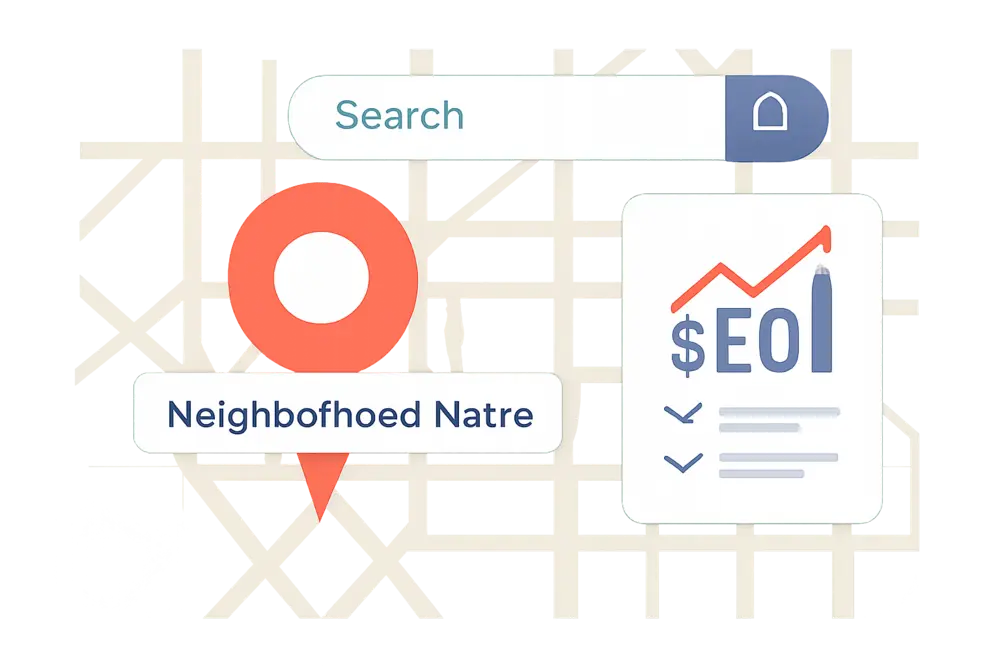
You do not need a second office to win searches inside subdivisions, apartment communities, or named districts. You need neighborhood name optimization that proves you show up there, know the quirks of getting in and out, and have happy customers behind those gates. If you want to rank for queries like “plumber in Green Oaks” or “pet sitter Lakeview Apartments,” this playbook shows you the quick wins that stack fast: focused pages, smarter schema, local visuals, directions content, and links that stitch it all together.
What Is Neighborhood Name SEO?
Neighborhood name SEO is the practice of targeting micro-areas inside a city with content and technical signals that match how people actually search. Think subdivisions, apartment complexes, gated communities, historic districts, and major landmarks. Instead of only chasing “[service] [city],” you’re intentionally creating relevance for searches like:
“electrician near Willow Creek Townhomes”
“moving company for The Oaks subdivision”
“dog grooming by Riverside Lofts”
This is where apartment complex targeting shines. Residents in large communities often search by their building or neighborhood name first. If your site speaks their language with pages and proof points for their exact spot, you jump the line.
Why Hyperlocal Beats City-Only Targeting
City pages are table stakes. Hyperlocal pages make you the obvious pick. Here is why:
Intent is clearer. Someone typing “roof leak repair Green Oaks subdivision” is not browsing. They are ready. Hyperlocal content meets that urgency with proof you already work there.
Competition is lighter. Fewer businesses optimize for neighborhood and apartment names, so it is easier to break through, especially in the Map Pack.
Trust is faster. Local photos, access tips, and reviews from neighbors feel like word-of-mouth on a web page.
Our team has seen this consistently across projects, and it aligns with what we outline in our neighborhood landing pages guide: pages packed with local cues tend to win clicks and conversions faster than generic city content.
Quick Win 1: Build Neighborhood Pages
Create a focused page for each high-value area you want to win. Start with places you already serve and where you have photos or reviews. Keep it real, avoid thin swap-outs, and write to the actual quirks of that subdivision or apartment community.
What To Include On Each Page
Lead with a clear header that pairs your service plus the neighborhood name: “Emergency Plumber in Green Oaks.” Open with a short paragraph that acknowledges the community by name and one or two specific details residents recognize. Add a quick list of services most requested by that area. Include visual proof like entrance signs, recognizable street corners, or on-site work photos. Pull in reviews from nearby customers and tag them with approximate cross streets or the community name if they mentioned it. Show a map of your service zone and response times for that neighborhood. Answer 4 to 6 local FAQs to address access rules, parking restrictions, pet policies, elevator load limits, or gate codes, depending on your niche. Finish with a direct call to action and clear phone number or booking link.
URL, Title, and Meta Patterns
Make the URL short and scannable: /service-area/green-oaks-plumber or /areas/lakeview-apartments-dog-grooming. Put the neighborhood or apartment name in the title tag and meta description. Avoid keyword stuffing. Keep it conversational: “Same-day plumbing in Green Oaks. Local techs who know the community entrance and parking.”
Quick Win 2: areaServed Schema Setup
Schema is your megaphone to help search engines connect your business with micro-areas. Add JSON-LD markup to your neighborhood pages and to applicable service or location templates. Use LocalBusiness with a real address if you have one, or Service with areaServed if you operate as a service-area business. Match names exactly as residents search for them: “Green Oaks,” “Green Oaks Subdivision,” and “Lakeview Apartments” may all be valid. Keep consistency across schema, copy, photos, and reviews.
Here is a simple LocalBusiness example that lists subdivisions and apartments inside areaServed. Swap the details for yours and test with Google’s Rich Results Test.
{
  "@context": "https://schema.org",
  "@type": "LocalBusiness",
  "name": "Acme Plumbing",
  "url": "https://example.com",
  "telephone": "+1-555-555-1234",
  "image": "https://example.com/images/acme-plumbing.jpg",
  "address": {
    "@type": "PostalAddress",
    "streetAddress": "123 Main St",
    "addressLocality": "Springfield",
    "addressRegion": "IL",
    "postalCode": "62704",
    "addressCountry": "US"
  },
  "geo": {
    "@type": "GeoCoordinates",
    "latitude": 39.7817,
    "longitude": -89.6501
  },
  "openingHoursSpecification": [{
    "@type": "OpeningHoursSpecification",
    "dayOfWeek": ["Monday","Tuesday","Wednesday","Thursday","Friday"],
    "opens": "07:00",
    "closes": "19:00"
  }],
  "areaServed": [
    {"@type": "Place", "name": "Green Oaks Subdivision"},
    {"@type": "Place", "name": "Lakeview Apartments"},
    {"@type": "Place", "name": "Riverside District"}
  ],
  "priceRange": "$$"
}
Prefer a Service-first setup? This option attaches areaServed to what you do rather than your physical office:
{
  "@context": "https://schema.org",
  "@type": "Service",
  "name": "Emergency Plumbing",
  "provider": {
    "@type": "LocalBusiness",
    "name": "Acme Plumbing",
    "url": "https://example.com"
  },
  "areaServed": [
    "Green Oaks Subdivision",
    "Lakeview Apartments",
    "Riverside District"
  ],
  "serviceType": "Plumbing"
}
Deeper references and patterns you can review: the areaServed property in schema.org and examples from Schema App’s how-to, along with service-area patterns explained by a range of local SEO resources. The goal is consistency, clean JSON-LD, and exact names that match onsite content.
Matching Schema To On-Page Cues
Search engines weigh consistency. If you claim “Green Oaks Subdivision” in areaServed, the page should also mention Green Oaks in the H1 or H2, in the body copy, in photo alt text, and ideally in a resident review. Keep NAP details uniform across your site, schema, and your Google Business Profile. If you do not have a staffed office in a neighborhood, do not fake one. Use areaServed instead.
Quick Win 3: Photos With Local Cues
Photos can carry place-based trust faster than text. You want images that make a resident say, “That is my entrance.” Focus on:
Entrance monuments and signage. A picture of the Green Oaks stone sign or the Lakeview Apartments leasing office entrance does more than any stock image ever could. In-action shots. Your team working near recognizable features like the clubhouse, pool fence, or building markers. Access context. Show visitor parking spots, service bays, elevator locations, and the path from the main gate to typical work areas. Captions, alt text, and file names. Describe what is actually in the image plus the neighborhood: “acme-plumbing-green-oaks-gate-b-service-van.jpg” with alt text like “Acme Plumbing van at Green Oaks Subdivision B gate.”
EXIF geotags get stripped by Google in most cases, so do not obsess over that. What matters is visual relevance and consistency across your site and GBP. Publish select photos in your Google Business Profile and add short captions that mention the community name when appropriate. Our local photo guidance backs this up: the right visuals move the needle in the Map Pack.
Quick Win 4: Directions and Local FAQs
Residents want to know if you understand their property rules and how fast you can get there. Give them answers and a frictionless path to book. Build a short directions block for each community that explains how you approach the area and where you park. If it is a storefront business, give step-by-step directions from major access points like the East Gate or Main Ave. If your team travels to them, set expectations: “Our techs typically reach Green Oaks within 45 minutes during weekday afternoons.”
FAQs should be neighborhood-specific and helpful, not just a keyword list. Cover access rules, elevator reservations, pet policies, parking limits, or delivery windows that affect service. Mark them up with FAQ schema so they can qualify for rich results when Google shows them.
Quick Win 5: Smart Internal Linking
Support your neighborhood pages with a hub-and-spoke internal linking pattern. Create a master “Neighborhoods Served” hub that lists your core communities and links to each page. On every neighborhood page, link back to the hub and to adjacent neighborhoods or apartment communities to create topical continuity. From your main service pages, add a short “Popular in Your Area” widget that links to the top three neighborhood pages by impressions or leads. Keep anchors natural: “Plumbing in Green Oaks,” “Dog grooming for Lakeview Apartments,” not stuffed repeats.
Quick Win 6: GBP and Review Signals
Local proof does not end on your site. Encourage customers to mention their community by name in reviews when they are comfortable doing so. A sentence like “I live in Green Oaks and Acme fixed our burst pipe in an hour” helps both click-through and relevance. In your Google Business Profile, set the correct service area boundaries and publish posts that reference recent work by neighborhood. Add a few of the same neighborhood photos you use on your site. Keep hours, phone, and categories accurate and consistent with your schema.
Tools and Templates
If you like a checklist, here is a tight set of assets to speed things up:
Schema validators. Use Google’s Rich Results Test to confirm JSON-LD parses cleanly. areaServed guides from Schema App and other schema resources can help you structure Place or text entries the right way. Page wireframe. Build a reusable template for each neighborhood page that includes header, intro, services, local proof, photos, reviews, map, FAQs, and CTA. Photo set list. Entrance signs, common areas, exterior markers, access routes, in-action shots. Review prompt. A short SMS or email template that thanks customers and invites a review, with a subtle nudge to mention their neighborhood if helpful to others.
What To Track
You will want both search and conversion signals. In Google Search Console, create page filters for your neighborhood URLs and review query reports for impressions and clicks that include subdivision or apartment names. Watch average position for those terms over time. In GBP Insights or a local rank tracker, log Map Pack visibility in a grid that covers your target communities. On-site, measure time on page and conversion rate per neighborhood page. If a page is getting views but no leads, enrich it with clearer CTAs, stronger visuals, or more specific access details.
Watch Outs and Red Flags
Avoid doorway pages that only swap a neighborhood name and keep everything else identical. That is thin content that can hold your domain back. Do not claim a staffed address where you do not have one. Use areaServed for coverage and keep your real NAP consistent everywhere. Skip stock photos. They look generic and do not help you rank or convert. Keep copy natural. If you stuff “Green Oaks” ten times in one paragraph, you will turn readers away and risk suppression. Keep neighborhood names accurate and updated. Communities get rebranded and signage changes. Update your content and schema when that happens.
30-Day Action Plan
Week 1: Pick 3 to 5 neighborhoods or apartment complexes where you already have traction. Collect any customer reviews that mention those names. Take or organize on-site photo sets that show entrances, recognizable features, and in-action shots. Draft unique intros that call out each area’s quirks. Week 2: Build and publish the first two neighborhood pages. Add internal links from your service hub and the homepage footer. Implement JSON-LD with areaServed entries for those neighborhoods. Add a short FAQ per page and mark it up. Week 3: Publish the remaining neighborhood pages. Post photos to GBP with captions referencing the communities. Ask recent customers for reviews and encourage natural mentions of their neighborhood if they think it will help others. Week 4: Track early impressions, tweak titles and metas to improve click-through, and expand content on pages with promising impressions but low CTR. Add one small locals guide that ties together multiple nearby communities with top spots, parking tips, and relevant landmarks, then link to all related pages.
Suggested Neighborhood Page Blueprint
Use this as a quick reference when you create each page. Keep it human, keep it local.
| Section | Goal | Tips |
|---|---|---|
| Header & Intro | Confirm service + neighborhood fit | Name the subdivision or apartments, mention a landmark or access detail |
| Services Snapshot | Match local demand | List top 3 to 5 services residents request most |
| Local Proof | Build trust fast | Reviews from nearby residents, short case notes, recognizable photos |
| Photos | Show you are truly local | Entrance signs, in-action shots, captions with neighborhood names |
| Map & Directions | Reduce friction | Embed a map, add arrival times or parking/access tips |
| FAQs | Handle objections | Address gates, elevators, pet rules, emergency timing |
| CTA | Convert now | Click-to-call, instant booking, or quote form |
Neighborhood SEO FAQs
Do neighborhood pages count as doorway pages?
Not if they are unique and genuinely useful. Write to the specifics of each community, use real photos, cite local reviews, and answer area-specific questions. Thin find-and-replace pages are the problem. Useful neighborhood pages are assets.
Should I create a page for every apartment complex?
Start with the 3 to 5 that already generate calls or where you have easy proof. Expand only when you can add original content, photos, and reviews. Quality beats quantity.
Do I need to geotag photos?
EXIF location data is usually stripped by platforms like Google, so it is not something to chase. What helps is visual relevance, accurate captions, and consistent publishing in your GBP and on your site.
Where should areaServed live?
Add it to your LocalBusiness or Service schema. You can include it globally and also reinforce it on individual neighborhood pages. Match names exactly and keep them aligned with your copy and reviews.
Can I rank without an office inside the neighborhood?
Yes. If you are a service-area business, use areaServed, build strong neighborhood pages, gather local reviews, and publish relevant photos. Do not claim a fake address. The right signals will still carry you.
Apartment Complex Targeting Tips
Apartment communities behave like mini-neighborhoods with extra rules. Speak to those details and you will out-convert bigger brands. Mention onsite constraints like loading docks, freight elevator hours, pet breed rules, package rooms, and gate systems. Outline how you handle visitor parking or short-term passes. If maintenance teams refer you, consider a short section that explains coordination steps and contact preferences. Add a service-level note like “Typical response time for Lakeview Apartments: 45 to 60 minutes on weekdays.” Residents care about speed and clarity. Give it to them.
How Locals Guides Multiply Wins
A locals guide brings several micro-areas together under a themed resource that actually helps people. Examples: “Your Dog Owner Guide to Riverside District Apartments” or “Moving Into Green Oaks: Parking, Access, and Setup Checklist.” Inside, link to each relevant neighborhood page, include a stitched map with practical notes, and add a few original photos. This format earns links, social shares, and internal relevance all at once while reinforcing your apartment complex targeting across similar communities.
Common Content Angles That Work
Seasonal realities. “Winterizing outdoor spigots in Green Oaks” or “Holiday package surge tips for Lakeview Apartments.” Access and routing notes. “Fastest entry to Building C from East Gate” or “Where to meet your tech without a gate code.” Safety and compliance. “Smoke detector checks in older Riverside lofts” or “Pet-safe pest control for apartment balconies.” Resident perks. “10-minute dog wash add-on during a Lakeview grooming appointment.” Make it useful first, then layer your service offer.
Lightweight Tracking Framework
Set up Google Analytics events for calls and form submissions from each neighborhood page. Use a naming pattern like “lead_green-oaks_plumber” to keep reporting tidy. In Google Search Console, create a Page filter for /service-area/ and add a Query regex that includes your top community names. Track CTR changes after you tweak titles and metas. Pull monthly GBP photo views and post interactions. Keep a short spreadsheet that logs impressions, average position, leads, and closed revenue per neighborhood page. This small system shows which communities deserve more content and ad support.
Paid Assist Without Wasting Budget
Organic work compounds, but you can seed demand with a tiny PPC layer. Create a single Responsive Search Ad group per community, with headlines that mirror your page title and site links that deep link into your neighborhood pages. Add location keywords like “Green Oaks plumber” and “Lakeview Apartments plumbing.” Cap bids tight and watch for conversion cost. Even a small budget can “train” brand associations between your service and the neighborhood name while organic rankings climb.