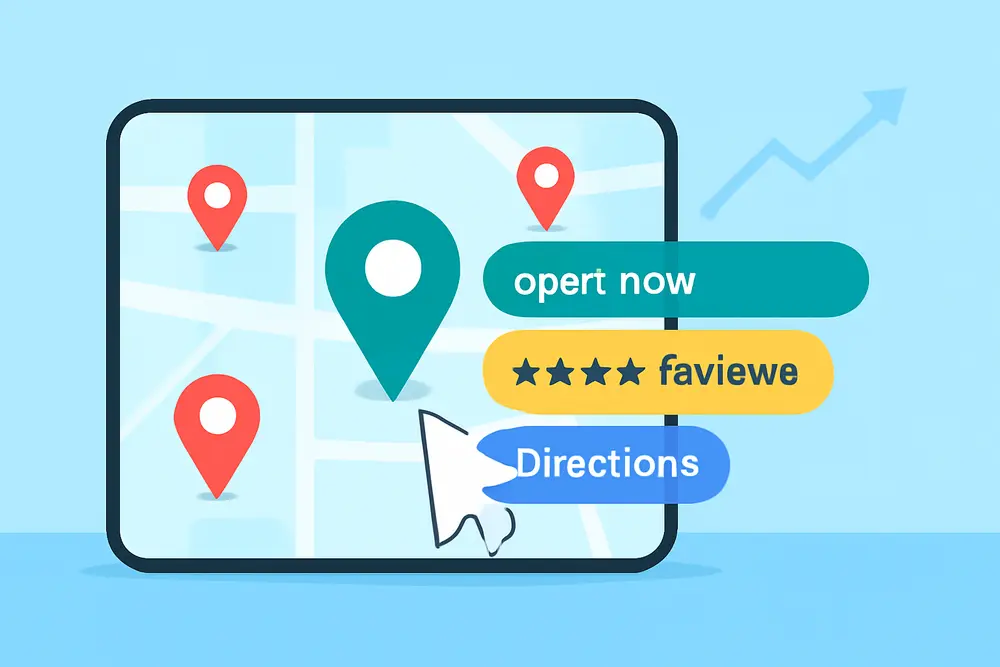
If you want more clicks and calls from the Local Pack without fighting for higher rankings, go after Google justifications. Those tiny lines under your Google Business Profile like Website mentions, Provides, In stock, and review snippets act like micro-proof that you are the match for a searcher’s intent. Trigger the right ones and your local pack CTR climbs because people see immediate relevance and credibility at a glance.
What Are Google Justifications?
Google justifications are short snippets that appear under your Business Profile in the Local Pack, Local Finder, and Maps to explain why your business matches a query. They are pulled from specific data sources like your website, your GBP services and products, your reviews, your attributes, your posts, and sometimes your inventory systems. Think of them as mini receipts that answer a searcher’s unspoken question: Why should I click you? Definitions and examples are documented by Intellar Agency, with additional testing and examples from BrightLocal and Search Engine Land.
Why They Lift CTR
Justifications do not directly move you up or down. They win you the click when you already appear. Searchers compare very fast in a crowded pack, so anything that speaks directly to intent tilts the decision. If someone searches for emergency plumber near me and sees Provides: 24-7 emergency service or a review snippet that mentions same-day leak repair, it reduces uncertainty and adds social proof. Tests from industry practitioners show that the right justification can be the tie-breaker for competitive queries, which is why they are a low-effort, high-leverage play for local pack CTR.
Types Of Justifications
Here is how the most common justifications map to the data you control and the intent they support.
| Type | Where It Comes From | Best For | Control Level |
|---|---|---|---|
| Provides | GBP Services or Products | Service clarity and specialty terms | High if you fill Services well |
| Website mentions | Your on-site content and meta | Specific queries and long-tail | High with clean, consistent wording |
| In stock | Live local inventory feeds | Retail and product-driven searches | Medium if feeds are accurate |
| Review snippets | Customer review text | Trust and niche proof | Indirect via smart requests |
| Attributes & highlights | GBP attributes and highlights | Filter-like qualifiers and amenities | Medium, depends on category |
| Posts | Recent Google Posts | Timely offers and seasonal terms | Medium with consistent posting |
Trigger Provides Fast
Provides is the most direct justification to engineer because it is driven by what you enter in your GBP Services or Products. Start by auditing your top money terms in Search Console, your PPC search terms, and your competitor SERP snippets. Translate those into clear service names like AC repair, Heat pump installation, Duct cleaning rather than vague labels like HVAC services. Keep the service name identical across GBP, your service page H1, and your meta title so Google sees clean alignment.
Fill in descriptions that read like a helpful one-liner and include the literal phrase again in a natural way. For example, AC repair for all major brands with 2-hour arrival windows in North Austin. Do not stuff synonyms. One clean service equals one clean match. If you offer packages, add each as its own service. This helps you earn Provides for specific searches like seasonal tune-up or coil cleaning instead of a generic catch-all.
If you sell products, mirror the product categories and hero SKUs in the Products section with titles that match how people search. Make sure each product card links to a crawlable, indexable page. If Google cannot crawl it, you are less likely to trigger Website mentions and you reduce the consistency signal that supports Provides.
Earn Website Mentions
Website mentions pulls from your site when your content uses the exact or close-variant wording of the searcher’s query. This is where a quick on-site cleanup moves the needle. Start with your navigation-level service pages and confirm each page targets a specific query set that real people type. If your page title says Residential Plumbing but users search water heater repair, you are leaving justifications and clicks on the table. Align headings, opening paragraphs, and FAQs to match the phrases you want to show for.
Refresh meta descriptions with concise, human-first copy that includes the target phrase one time. While meta is not a ranking factor, it is often used for snippets and can support the relevance match Google needs to show Website mentions. Add a short FAQ at the bottom of each service page that covers near-questions your customers ask in calls or chats. Phrase the questions with the same wording a searcher would use, like Do you offer same-day water heater repair? or How much is drain cleaning near me? This creates more opportunities for mention-based matches without sounding robotic.
Use internal links with descriptive anchor text so Google can infer topical relationships. A page about sump pump installation that links to emergency plumbing with the anchor emergency plumbing service helps Google understand context. Add schema for Service and LocalBusiness where it fits. While schema will not directly trigger justifications, it helps with parsing your offerings which supports consistent matches across your profile and site.
Show In Stock Without Headaches
In stock is magnetic for retail because it solves the is-it-there-now question. To trigger it, you need real-time or near-real-time inventory synced to Google. There are a few safe paths. Retailers can use Local Inventory feeds in Google Merchant Center, See What is In Store integrations, or Pointy from Google to surface store-level availability. Keep product titles, MPNs, and categories tidy so item matches are reliable.
Accuracy matters more than volume. Overstating stock burns trust and calls. If your POS is slow to sync, set conservative stock thresholds so you do not show in stock for items with one unit left and a 24-hour sync delay. Not every business category supports In stock, and availability can vary by country. If your category is in-bounds, you still need consistent product naming between Merchant Center and your on-site product pages to reinforce the data match. Intellar Agency outlines the setup options and requirements in their guide, and Search Engine Land’s coverage confirms that In stock justifications lean on verified inventory data.
Turn Reviews Into Justifications
Review snippets show when a piece of review text closely matches a query. You cannot choose which line Google pulls, but you can encourage the right language to appear in future reviews. After service, ask a short, specific question that naturally elicits the phrase you want. For example, HVAC: If we handled your AC repair today, would you mention that and how quickly we arrived? Dental: If we helped with same-day crown, would you tell others what you thought of the process? These prompts are clear, not coercive, and they keep you inside policy. Avoid gating or only asking happy customers. That violates policies and hurts long-term trust.
Reply to reviews with short, keyword-reinforcing responses. Thank you for trusting us with your tankless water heater repair today, Sarah. We keep same-day appointments open for emergencies. While Google does not guarantee that replies trigger justifications, replies add context and keywords around genuine experiences. Over time that language helps Google connect patterns and it reads great to humans who skim your profile.
Use Attributes And Highlights
Attributes like Women-owned, Veteran-owned, LGBTQ+ friendly, or service options such as Onsite services and Online appointments can increase perceived relevance when a user includes those qualifiers in a query. Highlights function like micro-badges that reinforce convenience and values. Fill out every applicable attribute in your GBP and keep them updated if your operations change. BrightLocal’s testing shows that attributes sometimes trigger visible callouts and can influence which justification Google decides to show for a given query. Not every attribute will surface a justification, but all of them contribute to a clearer, more filterable profile.
Make Posts Pull Their Weight
Google Posts can support justifications when the content closely matches what someone searches for, especially within a recent window. Post weekly so there is always fresh, relevant content for Google to pull from. Keep posts tight, with one offer or service per post, and use the exact phrasing of the service or product in the first sentence. For seasonality, time your posts to when demand spikes. A furnace tune-up special in late fall can correlate with more relevant snippets during peak search weeks.
Add UTM parameters to the post CTA links so you can see which post types correlate with higher click-through in Analytics and GBP Performance. Rotate creative angles like offer, outcome, or proof and keep the winner in rotation. While Posts alone will not carry your CTR, they stack nicely with Services, Website mentions, and review snippets to produce visible justification variety.
What Can Suppress Justifications
Several factors reduce your chance of seeing justifications even when you have the right content in place. Mismatched or generic service names make it hard for Google to form a clean Provides link. Sparse on-site content with no exact phrases limits Website mentions. Inconsistent naming or categories across your GBP and website confuse the match process. BrightLocal has also observed that certain service attributes like Online appointments or Onsite services can, in some scenarios, precede or replace other justifications. That is not universal, but if your desired snippets stop appearing after you toggle attributes, test rolling them back and retesting.
Inventory that is rarely updated leads to fewer or missing In stock callouts because Google trusts stable, verified data. For multi-location brands, mixing location-specific and corporate inventory feeds can cause mismatches that suppress In stock. Lastly, spammy keyword stuffing or awkward phrasing in your content can get ignored by Google’s natural language systems, which reduces the chances of earning Website mentions.
Measure Wins
You will not find a neat report called Justification Impressions in GBP. You need a mixed-method approach. First, annotate your changes in a simple log with dates and what you modified. Check your listing on desktop and mobile for your target queries 3 to 14 days after changes, capture screenshots, and save them with timestamps. That gives you a visual record of which justifications appear for which queries.
In GBP Performance, watch Website clicks, Calls, and Direction requests, then match lifts to your change log. Look for query-specific lifts in Views and Interactions after you ship updates that target those phrases. In Google Analytics, add UTMs to your Website button and Posts so you can model changes in click-through rate over time. For calls, use a call tracking number as the primary number in GBP and list your main local number as an additional phone. This is a long-accepted setup that preserves NAP consistency while letting you attribute results. In Search Console, segment branded vs discovery queries to see if your on-site optimizations correlate with more impressions and clicks on long-tail service terms that can spawn Website mentions.
Field-Tested Playbooks
HVAC contractor in a competitive metro: Build clean Services for AC repair, Heat pump installation, Furnace tune-up, and Duct cleaning. Mirror each as a dedicated page with the same naming conventions and FAQs like Do you offer same-day AC repair? Ask reviewers who got emergency help to mention same-day AC repair. Post weekly about AC repair with seasonal angles. Expect Provides for AC repair and Website mentions for same-day AC repair during peak heat weeks. If you sell filters or thermostats in-store, explore Pointy to unlock In stock for hero SKUs.
Dental practice focused on implants: Services should include Dental implants, Bone grafting, and Sedation dentistry with clear, layman-friendly descriptions. On-site, answer Does insurance cover implants? and How long do dental implants take? in an FAQ. Encourage reviewers to mention dental implant experience and recovery. Post about free implant consults monthly. You are aiming for Provides: Dental implants and review snippets that reinforce trust for high-anxiety patients. Attributes like Wheelchair accessible and Financing help for patients searching with qualifiers.
Bike shop with strong accessory sales: Sync local inventory to Google Merchant Center for helmets, tubes, and top accessories. Title products the way shoppers search, like MIPS road helmet or 29-inch inner tube. Create concise product pages and link each to GBP Products. Use Posts for seasonal tune-up specials and trail-opening weekends. Expect In stock on high-volume items and Website mentions for tune-up queries. When customers mention flat repair or same-day tune-ups in reviews, those snippets increase click appeal.
SEO And PPC Alignment
If you run search ads, mine your high-intent converting queries from PPC to fuel the exact phrases you want to trigger through Services, Posts, and on-site FAQs. PPC data shows how real people describe needs today, not how we think they should describe them. Update service names and meta to mirror those converting phrases, then pause and watch for new Website mentions and Provides snippets. This alignment also tightens your Quality Score because landing pages and GBP content speak the same language as your ads.
Cross-Profile Consistency
Consistency is the secret sauce behind reliable justifications. Your primary category should match your primary service focus. Your Services and Products should map one-to-one to your top landing pages. Your business description should reinforce the same shortlist of offerings using natural language. Your internal linking should make those pages easy to crawl, and your schema should support them. When every surface repeats the same truths, Google has no confusion about what you provide, which makes it more confident showing Provides, Website mentions, and the occasional Post or review snippet.
Local Content That Wins Mentions
Beyond core service pages, build two asset types that repeatedly earn Website mentions. First, neighborhood or city pages that speak to hyperlocal intent, like AC repair in Round Rock, with service specifics, nearby landmarks, and a couple of local reviews. Keep them unique and useful. Second, utility-style blog posts like How to reset a tripped AC breaker or What size bike tube do I need that include the service keywords where appropriate and link to the service or product page. These attract long-tail searches that spark Website mentions you would never get from a single generic page.
FAQ
Do justifications affect my rankings?
Not directly. They influence local pack CTR by making your listing look more relevant. Rankings depend on distance, prominence, and relevance. Justifications help you capture more clicks when you already show.
How long does it take for new justifications to appear?
Commonly 3 to 14 days after you update Services, content, or posts. Inventory-based In stock depends on feed freshness and can appear faster if the sync is frequent. Reviews can trigger snippets as soon as Google indexes the new review.
Can I force a specific review line to show?
No. You can only influence by asking good open-ended questions and earning detailed reviews. Google decides which snippet fits the query.
Why did my justifications disappear?
Google rotates snippets based on query, freshness, and available data. Changes to attributes, categories, or site content can shuffle what appears. If you toggled attributes or changed service names, try reverting and rechecking.
Do service-area businesses get justifications?
Yes, but visibility can be more sensitive to category choice and consistent service naming. Make sure your service-area details align across GBP and your site and keep your Services list tight and specific.
7-Day Action Plan
Day 1, name your top five services exactly how customers search and update GBP Services to match. Day 2, align each service page’s H1, title, meta, and first paragraph to the same phrases, then add a short FAQ section with two real questions. Day 3, request five reviews and include one clear, non-pushy prompt in each ask that references the specific service performed. Day 4, publish one Google Post for a core service and one for a seasonal or promotional angle, both with UTMs. Day 5, if you are retail, confirm your inventory sync path and fix product titles for your top SKUs. Day 6, fill every relevant attribute and highlight in your profile. Day 7, document everything in a change log and set calendar reminders to check SERPs and Performance in a week and again in two weeks.
Sources And Further Reading
For deeper examples and testing notes, see Intellar’s guide to GBP justifications, BrightLocal’s justification playbook, and Search Engine Land’s current state of local justifications. These resources align with the tactics above and include category-specific examples you can borrow for your own profile.