Storms do not RSVP. Neither do heat waves, surprise freezes, or those sideways rains that turn quiet Tuesdays into full-tilt emergency call days. If you run HVAC, roofing, plumbing, restoration, tree service, or any get-here-now local service, you already know the pattern. Demand spikes fast, then drops just as quickly. The trick is not spending all week chasing ghosts with always-on ads. The trick is switching your PPC on only when the sky says so and only in the zip codes you can actually serve. That is the power move behind weather-triggered campaigns paired with geofencing.
What Are Weather-Triggered Campaigns?
Weather-triggered campaigns are ads that launch, pause, or scale based on real-world weather data. When rain starts, bids rise. When a freeze warning hits, a campaign for burst pipe repair unpauses. When the forecast shows a three-day heat wave, your AC tune-up ads go live each morning and mute at night. Tools like WeatherAds.io explain how marketers use real-time conditions and forecasts to time their spend to buyer intent.
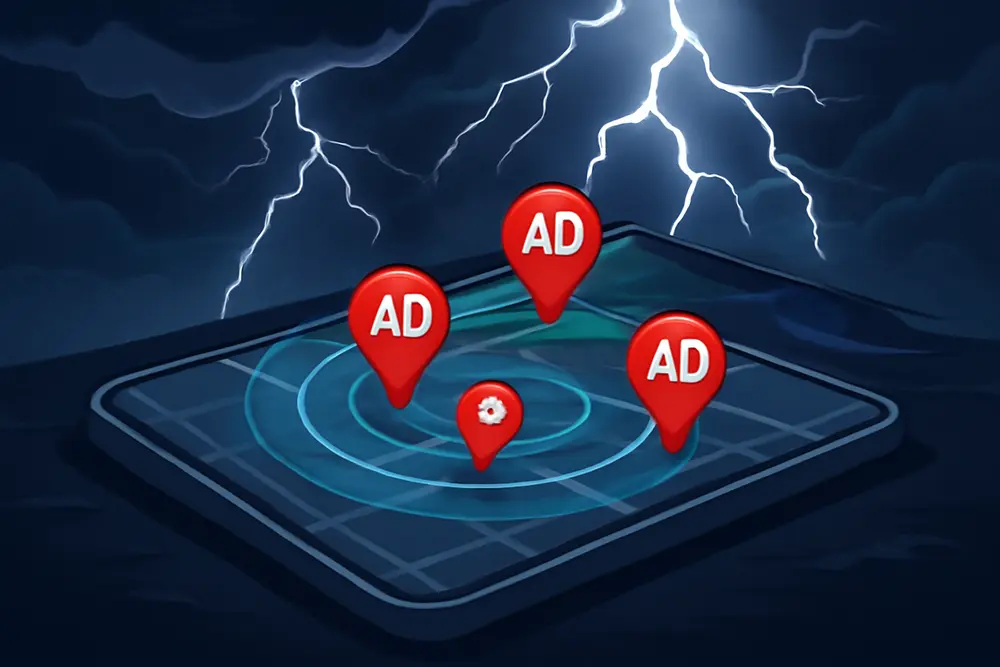
Geofencing is the precision part. Instead of citywide targeting, you draw virtual fences around neighborhoods, subdivisions, or even a radius around competitor showrooms. Ads only serve to people in those fences. Agencies like UpSwell outline the benefits: tighter waste control, higher local relevance, and better alignment with your actual service map.
Put them together and you get PPC that is on when weather-driven intent is high and off when it is not, in the exact locations you can reach fast. That means more booked jobs from the same budget and fewer looky-loos outside your market.
When Weather Moves, Demand Moves
Weather is one of the cleanest intent signals for home and property services. You can almost set your calendar by it. Roofing interest jumps on hail reports. AC repairs surge on hot afternoons. Restoration and tree service leads pop right after high wind. Plumbing emergencies spike during sudden freezes. These are not gentle nudges either. For many local pros, query volume can jump 2x to 5x during and right after events. Agencies like PushLeads outline a smart way to turn those spikes into profit: have pre-built campaigns, offers, and pages ready for each weather case, then flip them on with triggers.
Here are common trigger-to-service matches we see work well:
| Weather Trigger | Suggested Threshold | Service Types | Ad Angle |
|---|---|---|---|
| Heavy Rain | > 0.25 in/hr or flood advisory | Roofing, Restoration, Gutter | Leak repair now, water cleanup, same-day tarp |
| Hail | Hail alerts in zip codes | Roofing, Auto Glass | Free roof inspection, insurance claim help |
| Heat Wave | Heat index ≥ 95 F for 3+ hours | HVAC, Electrical | Emergency AC repair, fast dispatch |
| Freeze Warning | Forecast ≤ 28 F overnight | Plumbing | Burst pipe service, insulation quick-fix |
| High Wind | ≥ 40 mph gusts or wind advisory | Tree Service, Roofing | Fallen limb removal, roof patch now |
| Storm Path | Severe storm warnings by polygon | Restoration, Roofing | After-storm cleanup, roof assessments |
AccuWeather’s trigger sheet lists dozens of parameters you can use, from humidity to snowfall type. You do not need them all. Pick the handful that actually drive calls in your market, then set sensible thresholds so you do not fire ads on a sprinkle. You can review trigger options in AccuWeather’s one-sheet here.
The Playbook: Build Before The Storm
Weather-triggered PPC wins are decided before the radar lights up. Think of this like a firehouse that keeps gear packed by the door. You want a ready-to-launch library for the scenarios that matter in your area. Each scenario gets its own tailored ad groups, keywords, offer, and landing page. Then you connect triggers so the right set goes live in the right places at the right time.
Choose Triggers And Thresholds
Start with three to five scenarios. If you are HVAC in Phoenix, heat and air quality might be your bread and butter. If you are roofing in the Midwest, hail and high wind may be the moneymakers. For each scenario, define both a forecast trigger and a live-now trigger. Examples:
Heat wave forecast trigger: heat index at or above 95 F for three or more hours tomorrow between 11 a.m. and 6 p.m. Live-now trigger: heat index at or above 95 F in the last hour.
Heavy rain forecast trigger: probability of precipitation at or above 70 percent with expected rainfall 0.5 inches or more in next 6 hours. Live-now trigger: rainfall rate at or above 0.25 inches per hour or an active flood advisory.
Why both? Forecasts let you pre-warm audiences or queue campaigns. Live conditions catch the exact intent surge. Agencies like PushLeads highlight the value of pairing both types so you do not miss early planners or urgent buyers.
Wire Up The Triggers
You have three practical routes:
Manual watch: Simple, cheap, and fine for one or two scenarios. You or your team check local alerts and flip campaigns from paused to active. You can stack ad schedules and scripts in Google Ads to make this faster, but it still needs eyes on glass.
Third-party platforms: Tools like WeatherAds.io connect weather feeds to ad platforms, then trigger rules for your campaigns and audiences. This is the easiest way to get reliable automation without custom code.
Custom rules with APIs: If you have developer resources, pull data from NOAA, Weather.com, or similar APIs, feed it into a webhook or middleware like Zapier or Make, then call Google Ads scripts to enable or pause campaigns, swap assets, or adjust bids. This route gives you control but needs ongoing maintenance to handle data latency, retries, and rate limits.
Draw Smart Geofences
First, map your actual service area. Then tighten. You do not need every suburb. Focus on:
High home-density neighborhoods that match your buyer.
Past job clusters where your crew can reach fast.
Storm polygons or projected paths for forecasted events.
Competitor hot zones or neighborhoods they advertise in heavily, if you can out-serve them on speed.
Geofencing can be as tight as a 0.5-mile radius around subdivisions or as wide as a hand-drawn polygon that follows a floodplain. On social and programmatic, you can also build fences around shopping centers, supply houses, and even hotels on evacuation routes. United Restorers shares examples of saturating neighborhoods before and after storms with this approach.
Offers And Creative That Convert
Weather-driven buyers are not leisurely shoppers. They want fast, relevant, local help. Your ad and page should feel like a neighbor knocking with the right tools in hand. A few tips:
Match the weather in the copy. Call out the condition and the fix. Examples: High Heat Alert. AC Repair In 90 Minutes. or Roof Leak After Heavy Rain? We Are On The Way.
Lead with speed and certainty. Same-day dispatch, emergency lines, and live chat badges build confidence in the first three seconds.
Use call-only or call-heavy formats when phones ring most. During storms, many searches happen on mobile with thumb urgency. If you support it, add a text-to-book option.
Offer clarity on pricing. Free inspections for hail or roof checks, no weekend surcharge during heat alerts, or clear trip fee language reduces friction.
Rotate assets by event. Hail means roof inspection photos. Heat wave means AC techs and thermostats. Freeze means pipe thaw and shutoff valve tips.
Pair every ad group with a weather-specific landing page. If the ad says Flooded Basement Cleanup, the page should not force a visitor to hunt for the same promise. Tools like push notifications or pop banners can adapt the same base page to each event with minimal dev work.
Budgets, Bids, And Load Management
Weather windows are short. Prices can jump. The answer is not to toss unlimited budget at it. The answer is a plan.
Back into a sensible daily cap for each scenario. Take your average job value, multiply by your close rate on emergency leads, and work down to a target cost per lead. Example: average AC repair 400 dollars revenue, 40 percent close rate, target 200 dollars cost per acquisition, which implies a 50 dollars cost per lead if you close 1 in 4 leads. Set a daily max that aligns with the number of crews you can field.
Use separate campaigns for weather events so budgets do not collide with your evergreen spend. Keep these paused until triggered to maintain history without waste.
Expect higher CPCs during spikes. Counter with great Quality Scores: tightly matched keywords, ad copy that references the event, and pages with clear relevance signals. If you use Maximize Conversions, add a target CPA to avoid runaway bids. If you use Manual CPC or Enhanced CPC, prep bid adjustments that apply during events only.
Align ad schedules to staffing. If your after-hours team can handle three calls at a time, set a low cap and frequency controls overnight. If you have on-call overflow partners, open the throttle and capture more share.
Tracking And Reporting
You are not guessing here. Every trigger should leave tracks in your analytics so you can prove what works and what to improve.
Tag everything. Use unique campaign names that include the event type and threshold, like HVAC_Heat95_LiveNow. Add UTM parameters to ads so GA4 and your CRM can segment by event.
Track calls and forms separately. Use call tracking numbers per scenario and route them based on staffing. Import offline conversions from your CRM back into Google Ads so bid strategies learn which clicks turn into paid jobs.
Build a weather-to-performance dashboard. Correlate event timestamps with impressions, CTR, CPC, CPL, and close rate. Compare to baseline periods. If your CPL is better during triggers, push more budget next time. If it is worse, tighten fences, adjust thresholds, or fix creative.
Real-World And Hypothetical Plays
Geofencing around storm zones is not just theory. United Restorers outlines how restoration teams saturate neighborhoods before and after storms and even reach travelers along evacuation routes. That level of planning captures immediate and follow-up demand.
Here is a realistic scenario for an HVAC company. Three-day heat wave is forecast with heat index at or above 97 F from 12 p.m. to 6 p.m. The team has a Heat97_Forecast campaign with AC repair, tune-up, and no-cool emergency ad groups. Fences cover five zip codes within 20 minutes of the shop. Ads start at 8 a.m. each day with headlines like High Heat Alert. AC Repair Today and subheads like Technicians Near You. Phones On Now. Quality Score climbs thanks to tight relevancy. CPC rises 15 percent vs baseline, but conversion rate improves 35 percent. The net cost per lead drops 12 percent. Because staffing is planned and the phones are covered, the business closes more jobs per day than on typical hot spells with evergreen ads.
Now a roofing example. Hail is forecast for the northwest side of town. A Hail_Inspection campaign is prepped with Inspection In 24 Hours and Help With Insurance bids. The trigger fires for three contiguous zip codes. A geofence also wraps two competitor showrooms for a small radius conquest play. Within 48 hours of the storm, search activity peaks. Ads prioritize call extensions from 7 a.m. to 9 p.m. Because the landing page features a real checklist of what to photograph for insurance claims and a short two-field form, completion rates jump. Even with CPC hikes, the booked inspections justify a brief budget step-up, then drop back to normal.
Risks And Safeguards
No system is magic. There are gotchas. Weather data can lag. A drizzle that looks heavy on radar can fool your rules. Device location can drift when someone is indoors. The answer is guardrails.
Use both forecast and live conditions, and set minimum thresholds. Combine triggers so you only fire when two conditions match, like rain rate plus flood advisory. Keep a human-in-the-loop check for the first few weeks of a new trigger.
Do not let fences float too wide. If a zip code includes long-drive pockets, carve them out. If you cannot hit a neighborhood within your promised time window, exclude it.
Have creative and pages loaded and approved before storm season. Waiting on ad approvals during a wind advisory is how you miss the surge.
Match marketing to capacity. If your dispatcher is solo on weekends, do not quadruple the budget at 10 p.m. Set smart caps and build overflow plans. Integrate live-chat or scheduling apps that can queue non-urgent bookings.
Quick-Start Checklist
- List three to five weather scenarios that drive real demand in your area.
- Build paused campaigns with tailored ad copy and landing pages for each.
- Define clear thresholds for forecast and live-now triggers.
- Draw geofences around the fastest-to-serve neighborhoods and exclude long-drive zones.
- Pick your automation path: manual watch, third-party tool, or custom API workflow.
- Set budgets and bids that align with job value and staffing limits.
- Tag, track, and report cost per lead, close rates, and ROI by trigger.
FAQ
Does Google Ads Support Weather Triggers Natively?
Not directly. You can run weather-triggered campaigns on Google Ads by pairing it with third-party tools that use weather data to apply rules, or by building your own automations with Google Ads scripts and weather APIs. Many teams also manage a simple manual playbook during early testing.
How Accurate Is Geofencing For Local PPC?
It is very good on mobile in most suburban and urban areas, though accuracy can vary indoors or in low-signal zones. Expect fences to work best at neighborhood or zip code scale. For house-by-house accuracy, use small radii thoughtfully and validate reach with platform location reports.
Should I Trigger Ads Before, During, Or After A Storm?
Yes to all three, with different goals. Before: inspections, tune-ups, prep services. During: urgent repairs and emergency response. After: cleanup, insurance support, and follow-up repairs. Set different messages and bids for each window.
What Budget Should I Start With?
Back into a daily cap from job value and close rate. If a typical storm-day job is 800 dollars revenue and you close 30 percent of weather leads, you might target a 240 dollars CPA and a 60 dollars CPL. Start with a cap that funds 5 to 10 expected leads per active day, then adjust based on performance and staffing.
Can This Work On Social And Programmatic Too?
Yes. You can geofence on Facebook, Instagram, and programmatic networks, then use weather rules to start or scale campaigns. Social is especially strong for pre-storm prep offers and post-storm awareness. Search still captures the most urgent intent mid-event.
What If Weather Data Is Late Or Wrong?
Use multiple data points where possible and include sanity checks. A simple fallback is manual control during known major events. Build reports that flag trigger misfires so you can tweak thresholds quickly.
Why This Strategy Wins
Weather-triggered campaigns with geofencing keep your ads hyper-relevant and hyper-local. Instead of guessing when the phone will ring, you let the sky raise its hand for you. You show up in the right blocks, with the right promise, at the right minute. That is how local service pros turn storm days into booked calendars without torching budget.
If you want a done-for-you setup, Replock Marketing can build your campaign library, connect weather rules, draw smart fences, and tune your budgets so your ads work as hard as your crews. Tell us your service map and the weather that moves your market, and we will ship a storm-ready PPC system that launches when the radar lights up and rests when it is sunny.
Resources for further reading: PushLeads on weather-triggered PPC for contractors, WeatherAds on real-time triggers, and United Restorers on geofencing. If you are ready to test this in your city, we are ready to help.