Your Google Business Profile sits on the busiest corner of the internet, right where customers search, compare, and act. If you post once a blue moon, you’re leaving money on the sidewalk. If you post every week with a plan, a CTA, and tracking in place, you turn profile views into calls, directions, and bookings you can actually attribute. Use this weekly posting framework to keep your profile fresh, send crystal-clear signals to local customers, and prove which posts pull in real leads.
Why Weekly Google Posts Work
Google rotates most posts out of the primary view after about seven days, so a once-a-week rhythm keeps your profile current without spamming your audience. It also gives you a manageable cadence to test offers, highlight services, and keep helpful info front and center. A weekly posting framework lets you coordinate message, CTA, and tracking so each post is built to generate a measurable action like a call or a booking.
Local buyers are choice-rich and time-poor. They are looking for obvious next steps. When your posts always include a specific CTA and a trackable link, you make it easy for customers to take action and easy for you to prove what worked.
The Weekly Posting Framework
This repeatable structure keeps your profile fresh and your pipeline moving. Each post type pairs with a goal-focused CTA and a way to attribute results.
| Day | Post Type | Primary Purpose | Suggested CTA | Lead Attribution |
|---|---|---|---|---|
| Monday | Service Or Feature Spotlight | Promote your most profitable service with city terms | Book Now or Schedule Today | UTM-tagged link to service or booking page |
| Wednesday | Review Or Social Proof | Build trust with a customer quote or rating | Learn More or Visit Us | Compare GBP Insights interactions that day |
| Friday | Offer, Event, Or Time-Sensitive Promo | Drive urgency with a limited-time incentive | View Offer or Call Now | UTM link, tracked phone number, or unique code |
| Weekend | Behind The Scenes | Humanize your brand and nudge in-person visits | Get Directions or Visit Us | Track direction requests and foot traffic |
Monday: Service Spotlight
Start the week by pushing the work you want more of. Use your primary service plus your city or neighborhood, add one clear benefit, and show proof you deliver. Pair it with a Book Now or Schedule Today CTA that goes to a UTM-tagged booking page, not your homepage.
Example copy: “Need same-day water heater repair in Plano? Our licensed techs fix 90 percent of issues on the first visit. Tap Book Now to pick a time that works for you.”
Image ideas: a clean before-and-after photo, a technician on-site, or a simple text graphic with your core service and city name. Keep text on images minimal and readable on mobile.
Link strategy: Use a landing page dedicated to this service with a bold click-to-call option and embedded booking. Add UTMs for clean lead attribution.
Sample UTM: /water-heater-repair?utm_source=google&utm_medium=gbp&utm_campaign=post-service-week1&utm_content=cta-book-now
Wednesday: Review Boost
Midweek is perfect for social proof. Spotlight a recent 5-star review, pull a tight quote, and include a result or outcome. This post type builds trust and often lifts calls even without a discount.
Example copy: “They arrived on time, explained everything, and my AC is colder than ever.” Thanks for the 5 stars, Maria. Curious how we diagnose issues that same day? Tap Learn More.”
CTA approach: Use Learn More to send traffic to your reviews or case studies page with UTMs. If you have a showroom or storefront, you can switch to Visit Us to nudge in-person visits.
Tracking tip: Watch GBP Insights for spikes in website visits and calls on the day this post runs. Keep a simple log so you can compare review posts against service and offer posts over time.
Friday: Offer or Event
Close the week by removing friction. A limited-time offer, seasonal tune-up, or a weekend event can convert browsers into bookings. Make the incentive clear, the terms simple, and the CTA obvious. If your business is call-driven, test Call Now. If you transact online, use View Offer to a UTM-tagged landing page with the offer pre-applied.
Example copy: “Weekend special for Austin homeowners: $49 drain clearing for new clients, Friday to Sunday only. Tap View Offer to claim before slots fill.”
Tracking options: For calls, you can include a tracked phone number in the post copy. If your region has GBP call history, turn it on for additional reporting. For online redemptions, use a unique coupon code like WEEKEND49 and track redemptions in your CRM or POS. Always tag the landing page with UTMs so your analytics show traffic and conversions from this exact post.
Weekend: Behind the Scenes
Humans buy from humans. A quick behind-the-scenes post builds connection and keeps your profile feeling real. Snap your team prepping for Monday, show a finished project, or share a community involvement moment. You are not hard-selling here. Keep the CTA lightweight, like Get Directions or Visit Us, to encourage local visits.
Example copy: “Saturday crew in Fort Collins putting the final touches on a backyard makeover. Want to see materials in person? Tap Get Directions to swing by our showroom.”
Attribution angle: Watch direction requests in GBP Insights for weekend bumps. If in-store sales are your goal, note foot traffic in your POS or a simple visit log to see if this post type correlates with more visits.
CTAs That Get Clicked
Match the CTA to the action you want. Book Now and Schedule Today are your best friends if you run appointments. Call Now wins for service emergencies or quick quotes. Get Directions moves people who are already nearby. View Offer and Claim Offer work for limited-time promos. Learn More is ideal when you want to build trust first with reviews, galleries, or process pages. Keep CTA language consistent week to week so your analytics can compare apples to apples.
Lead Attribution You Can Trust
Without tracking, you are guessing. With a simple lead attribution setup, you can identify which posts spark calls, directions, and bookings.
Start with UTMs. Every GBP button that accepts a link should use UTM parameters so your analytics can attribute sessions and conversions to the exact post. Keep your naming convention consistent, for example utm_source=google, utm_medium=gbp, utm_campaign=post-type-weekNumber, and utm_content=cta-label or image-variant. This lets you compare post types, weeks, and CTAs in your reports.
Layer in call attribution. If you rely on phone calls, you have two practical options. First, include a tracked phone number in the post copy so mobile users can tap to call that number. Second, send the post button to a landing page with a unique tracking number for that campaign. Do not replace your primary GBP phone number just to track a post. If available in your region, enable GBP call history for extra call logs from your profile, then reconcile with your tracking numbers.
Track bookings end-to-end. If you link to a booking tool, make sure the UTM string travels all the way to the booking confirmation. Many systems let you see the original source and campaign. If yours does not, add a hidden form field that captures the UTM parameters or use your CRM to stitch sessions to bookings.
Finally, compare time periods. Look at a 2 to 4 week window before implementing the weekly posting framework, then compare it to the next 4 weeks. Review calls, website clicks, direction requests, and bookings. Also, compare performance by post type to see what deserves more real estate.
How to Add UTMs to Posts
UTMs are short tags you add to the end of a URL so analytics software knows where a click came from. When you create a GBP post with a button like Book Online or Learn More, paste your landing page URL with UTMs applied.
Here is a simple way to structure them. Choose your landing page, then add these parameters:
utm_source=google, utm_medium=gbp, utm_campaign=post-service-week1, utm_content=cta-book-now
Your final URL might look like: https://yourdomain.com/ac-repair?utm_source=google&utm_medium=gbp&utm_campaign=post-service-week1&utm_content=cta-book-now
In GA4, review Traffic acquisition or build an exploration filtered to Medium equals gbp and Source equals Google. You will see sessions, engaged sessions, and conversions grouped by campaign and content. Keep your names short and readable so your team can analyze quickly.
Reading GBP Insights
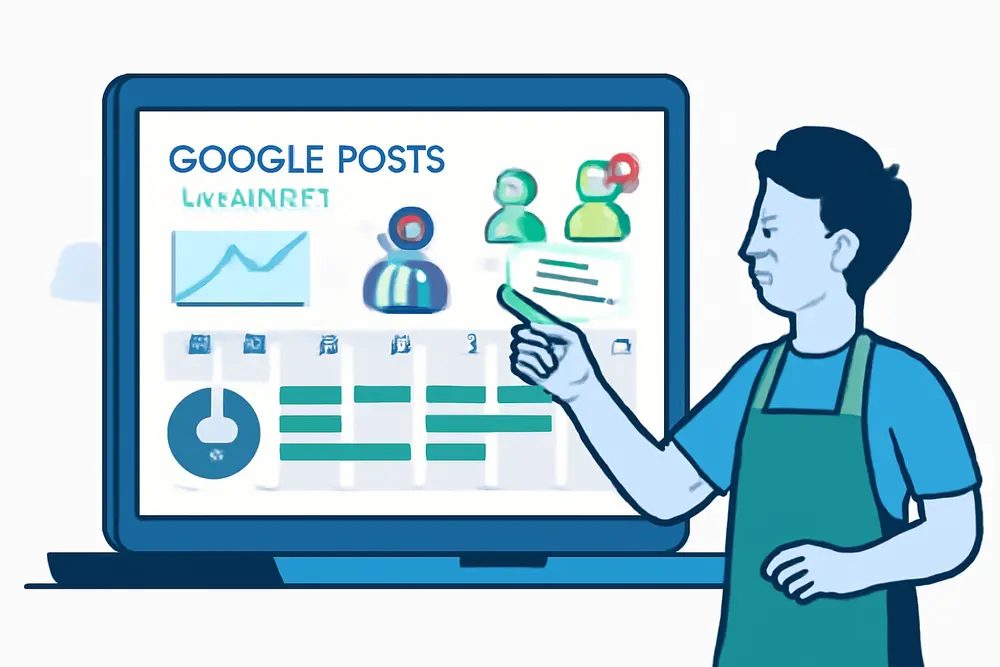
GBP Insights is your quick health check. Each week, note the number of profile views, website clicks, calls, and direction requests. Compare the days your posts go live to nearby days to see which post types produce bumps. Over time, the pattern becomes clear. Service spotlights usually lift bookings, review posts lift clicks and calls, and weekend behind-the-scenes lifts directions. Use these observations to shift your calendar. Double down on winners, retire ideas that fall flat.
If your Insights report offers top search terms, align your Monday service posts to those phrases plus your city. If photo views are lagging behind competitors, step up your visuals. If calls are high but bookings lag, your landing page probably needs tighter copy or faster load times.
When You Have Nothing New
You never have to skip a week. If you are light on promos or product launches, rotate evergreen post types that still drive action. Answer a common question with a quick tip and a Learn More button linking to your FAQ page. Highlight a team member and what they specialize in with a Book Now button that routes to their service. Showcase a before-and-after from a recent project and invite users to Get Directions to see samples in person. Share seasonal prep advice and link to a checklist on your site. Reintroduce a core service with a twist, like “What most customers skip during a tune-up” with a Book Online CTA. The key is pairing each idea with a clear CTA and a trackable link.
Simple Posting Calendar
To keep moves consistent, batch your next four weeks in one sitting. Line up the Monday service you want to grow each week. Gather one standout review for each Wednesday slot. Decide on two offers and two events or timely promos for Fridays, then prep assets. Finally, snap three or four behind-the-scenes photos so weekends are covered. Load them into your scheduling tool or post natively, apply UTMs, and you are set for a month of consistent, lead-focused activity.
Creative That Converts
Photos beat stock art for trust. Use real team members, real spaces, and real jobs. Keep composition clean and bright, center the subject, and crop for mobile. If you add text, keep it under a few words, like “Same-Day AC Repair” with your city name under it. For offers, show the result, not just a price tag. For reviews, pair the quote with the product or service image mentioned. A/B test two angles over two weeks, such as technician at work vs. finished result, and track which one leads to more clicks and calls.
Copywriting That Sells
Your post copy should be short, specific, and customer-focused. Lead with the outcome, sprinkle in location terms naturally, then give one clear next step. If you want calls, say it. If you want bookings, say it. Avoid stuffing in too many services at once. One post, one purpose, one CTA.
Simple template you can adapt: “Service + city, benefit in one sentence, proof or review snippet, then CTA.” Example: “Teeth whitening in Sarasota with results in one visit. “Couldn’t believe the shade difference.” See openings this week. Tap Book Online.”
How to Track Calls From Posts
Calls are trickier than clicks, but you still have solid options. The cleanest method is to send your post traffic to a campaign landing page with a unique tracking number and a strong click-to-call button. The post drives the click, the landing page triggers the call, and your call tracking software attributes it back to the UTM. If you prefer to encourage direct calls from the post itself, include a tracked number in the post text so mobile devices can tap to call. You can also enable GBP call history if it is available in your region to capture additional call data that originates from your profile.
For offer posts, pair call tracking with a simple code that staff asks for on the call. This gives you a second way to verify which calls came from which post.
How to Attribute Bookings
When your booking tool can accept UTM parameters, you can trace a booking back to a specific post. Test a full click-to-booking flow to confirm UTMs are visible on the booking confirmation step. If the booking tool drops UTMs, create a dedicated booking page on your site that carries the UTMs until handoff, or enable a hidden field to store them inside the booking form. Sync those fields into your CRM so your sales team can view true source at a glance. If you cannot pass UTMs, create post-specific calendar links or promo codes that map to each weekly post.
What to Measure Weekly
Keep a simple sheet with these columns: week start date, post type for each day, impressions, website clicks, calls, direction requests, bookings, and revenue if available. Add a notes column for offer details or creative variants. This discipline makes it obvious which ideas pay off. If Monday service posts drive fewer impressions but more bookings per view, you know where to keep pushing. If behind-the-scenes posts spike directions but not revenue, consider adding a soft offer to that weekend slot.
SEO Tie-Ins Without Fluff
The goal is customers, not vanity metrics, but your posts still reinforce local relevance. Naturally include service plus city phrasing. Use consistent categories and products on your profile so your posts echo your core offerings. Refresh photos frequently to keep your profile competitive in photo views. When your posts get engagement, you send healthy signals that your business is active and helpful for local searchers.
Team Workflow That Sticks
Assign one person to own post scheduling and one person to own reporting. Set a 30-minute meeting every other week to review the previous posts and pick winners for the next cycle. Keep a shared folder with approved images, top reviews, and current offers so building posts takes minutes, not hours. Use the same UTM structure so your reports stay clean. The goal is a rhythm you can maintain during your busiest season.
FAQ
Do Google posts help rankings?
Posts are not a magic ranking lever. What they do is improve engagement and make your profile more useful, which often correlates with more calls and visits. That is the real win.
How often should I post?
Once a week is a sweet spot for most local businesses. If you have frequent events or offers, add a second post, but prioritize consistency over volume.
What image size should I use?
Square or near-square images tend to display well. Aim for at least 1200 x 1200 pixels, keep the subject centered, and avoid tiny text.
Can I schedule posts ahead of time?
Yes. Many social tools support GBP scheduling, or you can post natively. Just make sure your links include UTMs either way.
How do I track calls from the Call Now button?
The Call Now button uses your profile number. For post-level attribution, route traffic to a landing page with a tracking number or include a tracked number in the post text. If available, enable GBP call history for extra visibility.
Can multi-location businesses use the same plan?
Absolutely. Keep the framework consistent, but localize each post with the right city, neighborhood, photos, and location-specific services. Use location-specific UTMs to separate reporting.
What if I do not have an offer?
Run a time-bound perk instead, like priority scheduling or a free add-on. Or swap Friday for a seasonal tip with a strong CTA. The key is to keep the weekly cadence intact.