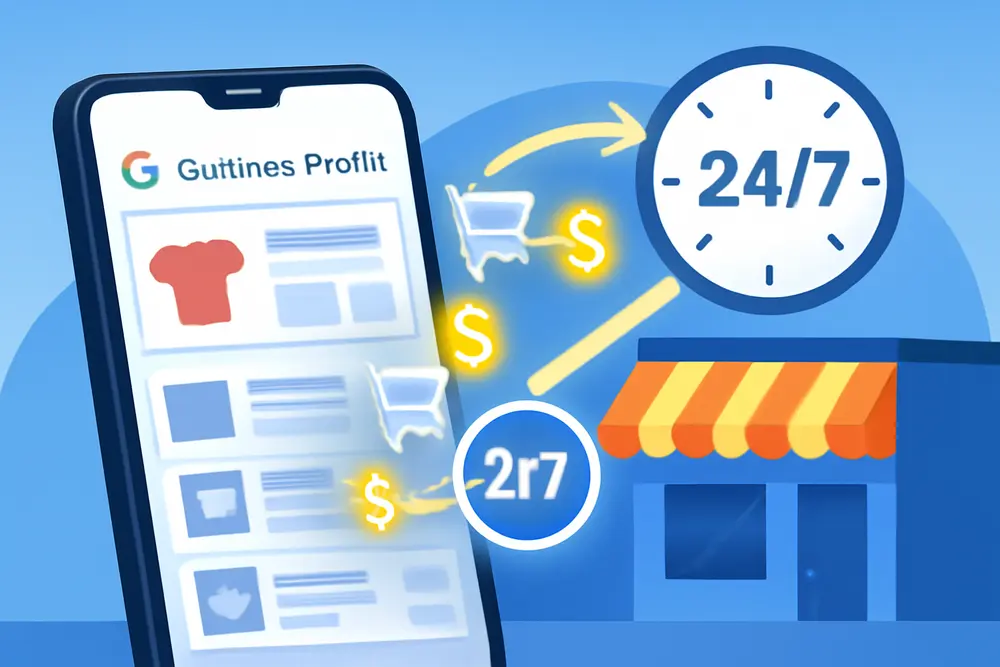
Your Google Business Profile has a shelf most competitors ignore. It is the Products tab, and yes, service businesses can stack it with irresistible productized services. Package your common jobs with clear scope, price, photos, and a tracked call to action, and you turn casual Map Pack browsers into booked jobs without touching your ad budget. This guide shows you exactly how to do it, what to avoid, and how to measure the impact so you can scale what works.
What Are Productized Services?
Productized services are your repeatable jobs packaged like a product. Instead of a vague service page and a generic “call for a quote,” you define a fixed scope, outcome, timeline, and price or price range. Think “2-Story Gutter Cleaning,” “90-Min Furnace Tune Up,” “Basic Brake Pad Replacement,” “Starter Social Media Launch Kit,” or “Starter Lawn Care – Quarter Acre.” The customer’s brain loves clarity. Your team loves the consistency. Your profile becomes a shoppable menu, not a brochure.
Why The GBP Products Tab Matters
The Products tab in Google Business Profile sits where people are already deciding what to click next. When someone sees your profile in the Map Pack, Products often display prominently on mobile and desktop. Instead of making them dig through your website to guess prices or wonder what they get, you answer those questions with a visual card, a price, a short description, and a button that clicks straight to your booking or quote page. That stops scrolls, reduces friction, and increases conversion even if your ranking stays exactly the same.
Can You List Services As Products?
Yes. Google built a separate Services section, but the Products feature is designed to be visual and action oriented. Many service businesses successfully list their packaged services in Products because the format is perfect for pricing, photos, and clear CTAs. Keep your listings aligned with Google’s content policies, avoid prohibited categories, and make sure the price you show matches what a customer can actually buy. Use Products for your packaged services, and keep the Services section for your full menu and keywords.
Pick Services To Package
Start simple. Focus on the few services that check these boxes:
They happen often. You do them weekly or daily and can predict the time and materials.
They are high intent. People search for them with local intent and want to act now.
They can be scoped. You can define what is included and what adds cost.
They photograph well. Before and after photos or in-progress shots tell the story fast.
Examples by niche:
Home services: Drain clearing, seasonal HVAC tune up, roof inspection, dryer vent cleaning.
Auto: Oil change packages, brake pad replacement, detailing tiers, seasonal tire swap.
Healthcare and wellness: Teeth whitening, new patient exam, 30 min sports massage.
Professional services: Basic website audit, Google Ads tune up, logo refresh kit.
Names, Prices, And Scope
Your product name, price, and description should make someone think “that’s exactly what I need” in under five seconds.
Use specific, scannable names. “AC Tune Up – Single Unit,” “Deep House Cleaning – 3 Bed,” “Full Synthetic Oil Change – Up to 5 Quarts.” Add city if it fits naturally: “Same Day Drain Clearing in Naperville.”
Show an honest price. If your pricing varies, use a range or a starting price, like “From 149” or “199 to 299 based on size.” Avoid surprise fees that contradict what you list. If extra charges apply, say so in the description.
Define scope and outcome. In 3 to 5 bullet length sentences, spell out what is included and what is not. Keep it plain language: what you inspect, replace, clean, how long it takes, and the result the customer gets.
Microcopy examples you can adapt:
Gutter Cleaning – 2 Story: Hand clean gutters and downspouts, roofline up to 28 feet, bag and haul debris, water flush test, 60 day no-clog guarantee. Homes over 3,000 sq ft may require quote.
Furnace Tune Up: 21 point inspection, filter change, safety check, airflow test, CO test, written report. Price for single system.
Set Up Products In GBP
You can add products right in your Google Business Profile dashboard. Here is a clean setup flow that keeps you faster than competitors:
1. Open your Business Profile in Google Search or the Business Profile Manager. Choose Edit products.
2. Add product. Upload a real photo that represents the exact service. Use before and after if possible.
3. Set name and category. Group related services into categories like Tune Ups, Cleaning, Inspections, Packages. Categories help customers browse and Google understand context.
4. Add price. Choose a fixed price, a range, or a starting price. Keep it consistent with your website.
5. Write a clear description. Use short sentences that emphasize scope and outcome. Include city or service area naturally, not stuffed.
6. Add a button link. Point to a dedicated page for that exact service or a booking page. Use a tracked URL so you can see performance in analytics.
7. Save and publish. New items can take a short time to appear. Review on mobile and desktop to check how it looks.
Photos That Drive Clicks
Photos carry the click weight in Products. Skip generic stock shots. Use images that show the job being done, the end result, or the team member with branded gear. A few quick rules:
Fill the frame. Tight, high resolution images are easier to understand on a small screen.
Show context. A close shot of a clean coil is less persuasive than a before and after collage of a dirty coil vs clean coil if you are doing HVAC.
Use natural light. Harsh flash looks untrustworthy. If you can, shoot near windows or outdoors.
Keep brand cues. A logo on a shirt or truck in the background builds trust at a glance.
Refresh often. Add seasonal photos and recent jobs so your profile looks active. Freshness tends to improve engagement.
UTM Links And Tracking
If you cannot measure it, you cannot improve it. Google’s Products feature does not provide item-level analytics, so UTM parameters are your best friend. Add tagged URLs to each product’s button so you can see exactly how many visits and conversions your productized services generate.
Use a consistent pattern like this:
| UTM Parameter | Example Value | What It Tells You |
|---|---|---|
| utm_source | Traffic came from Google | |
| utm_medium | gbp-product | It was a Product click, not an ad or post |
| utm_campaign | ac-tune-up | Which service they viewed |
| utm_content | spring-2026 | Version or season for testing |
Example URL structure you can model: yoursite.com/ac-tune-up?utm_source=google&utm_medium=gbp-product&utm_campaign=ac-tune-up&utm_content=spring-2026
In GA4, mark your booking form submission, click to call, or Schedule button click as conversions. Then build a report filtered by utm_medium equals gbp-product to see how Products perform vs other channels.
Optimize For Map Pack
There are three levers you control inside your profile to win more clicks from the same impressions: relevance, visuals, and friction. Your Products plan hits all three.
Relevance. Use precise product names that match searcher language without stuffing. Pair this with accurate primary and secondary categories, attributes, and a well filled out Services section to strengthen your overall topical signals.
Visuals. Lead with proof. Real work in the photos, a crisp price tag, and a tiny list of inclusions beat corporate lingo every time.
Friction. The fewer taps, the better. Your product button should go to a specific landing page or booking flow for that service, not your homepage. Add click to call and message options in your profile so people who prefer the phone can act immediately.
Bonus: feature a top seller first. The Products carousel shows a limited number at a glance, especially on mobile. Prioritize your highest intent, highest margin item so it is always visible.
Seasonal And Promo Ideas
Services are seasonal. Your Products shelf should be too. Rotate in timely items and limited offers so your profile always feels current.
Spring: Gutter cleaning, AC tune up, exterior window cleaning.
Summer: Pressure washing packages, landscaping refresh, car detailing packages.
Fall: Furnace tune up, roof inspection, leaf cleanup packages.
Winter: Snow removal by driveway size, water heater check, remote start install.
Use a special “From 20 Off With Code GBP20” in the product description and mirror that on your landing page to track redemptions. Update photos to match the season, and adjust your utm_content to keep data clean by quarter or campaign.
Mistakes To Avoid
Inconsistent pricing. If the website says From 149 and your GBP Product says 99, trust takes a hit. Match the numbers and the fine print.
Too many products. A crowded carousel confuses buyers. Start with 3 to 6 and expand only if they perform.
Generic stock photos. They lower click rates and make you look like everyone else. Use your own work.
No UTM tracking. Without it, you will not know which products are pulling their weight.
Vague descriptions. “High quality service at a fair price” says nothing. Spell out what is included, how long it takes, and what the result is.
Keyword stuffing. Natural language wins. Use city and service terms where they make sense, not in every line.
Neglecting the rest of your profile. NAP consistency, categories, hours, attributes, reviews, and fresh photos all support conversion. Products multiply the impact of a strong foundation.
What Results Can Look Like
Here is a simple pattern we see when businesses shift from generic profiles to productized services with clean tracking:
Before: A home services company had a filled out profile but no Products. They averaged 200 profile views per week, 22 website clicks, and 14 calls. Most traffic landed on the homepage and bounced while hunting for pricing.
After: They added four productized services with real photos, clear scope, and tracked links. Over 8 weeks, website clicks rose to 38 per week with roughly half tagged as gbp-product. The AC tune up product drove 12 direct bookings per week during peak season. Call volume also rose slightly because the listing looked more complete and trustworthy. Ad spend stayed flat.
Your numbers will vary by niche and season, but the conversion pattern is consistent: visual clarity plus price plus direct CTA gets more people off the fence.
Quick Start Checklist
If you want a fast win without overthinking, use this five step sprint:
Pick three repeatable services that you can price or price range honestly.
Write names that match how customers search and specify scope in two to four short lines.
Shoot or collect three real photos per service, including at least one before and after if applicable.
Publish them in GBP Products with tracked links that point to specific landing or booking pages.
Monitor GA4 weekly by utm_medium equals gbp-product and adjust titles, photos, and prices based on clicks and conversions.
FAQ
Do Products Help Me Rank In The Map Pack?
Products are primarily a conversion tool. They can support relevance and engagement, which may correlate with better performance over time, but you should not expect Products alone to move rankings. Use them to turn more existing views into clicks, calls, and bookings.
Should I Use Products Or The Services Section?
Use both. Services is a structured list that helps describe what you do. Products is a visual shelf that sells your packaged offers. They work together. Many service businesses see far more engagement on Products because of the price, image, and button.
Can I Link The Product Button To A Phone Number Instead Of A Page?
Use a booking or service specific page when possible so you can educate and convert without a back and forth. If your buyers prefer phone, add your primary phone in the profile and consider a click to call option on the landing page. Track those calls with call tracking or GA4 events if possible.
How Many Products Should I List?
Start with 3 to 6. That fills the carousel without overwhelming people. Add more only when you have data that each additional product pulls its weight. If a product gets zero traction for 30 to 60 days, refresh the photo and title or replace it.
What If My Price Depends On The Job Size?
Use a starting price or a price range and explain what drives changes. Example: From 149 for single story homes up to 2,000 sq ft. Larger homes quoted on site. The goal is to set expectations and earn the click from people who are willing to pay for your scope.
Will Google Let Me Post Promotions In Products?
You can include promotional language if it accurately reflects what a customer can buy and aligns with Google’s policies. For short term deals, you can also use GBP Posts. Keep your Products evergreen and swap in seasonal versions when relevant.
How Do I Track Bookings That Happen By Phone?
Use a trackable number on your landing page or set up call tracking that fires a GA4 event when someone taps your phone link. You can also use Google’s call history feature if available in your region to estimate how many calls originated from your profile.
Practical Copy And Layout Tips
Give each product a headline that says what it is, not a brand slogan. “Carpet Cleaning – 3 Rooms” beats “Premium Clean Package.”
Lead with an outcome in the first sentence of the description. “Restore airflow and cut energy waste with a same day coil clean.” Outcomes are what buyers actually want.
Use numerals for time and quantity. “90 min,” “3 rooms,” “2 filters included.” Numbers stand out in mobile cards and speed up comprehension.
Add a trust signal without bragging. “Licensed and insured,” “Warranty honored,” or “Since 2012” are simple credibility boosts.
Place a clear CTA in the last line. “Book for this week,” “Schedule for Friday,” or “Get same day service if you book before noon.” Specificity beats generic “Contact us.”
How To Align Products With Your Website
Your Products strategy works best when the landing pages they point to feel like the next logical step. Match the product name and price exactly, repeat the scope and inclusions, and keep the hero image consistent. Add social proof and FAQs directly related to that service. Include one primary CTA above the fold and a secondary option for people who prefer phone or chat. If you collect leads, keep the form short: name, phone, email, service address, preferred time. Every extra field drops completion rates.
Testing Titles, Photos, And Prices
The fastest improvements usually come from small creative tests:
Titles. Test “AC Tune Up – Single Unit” vs “AC Tune Up – Includes 21 Point Check.” If the second gets more clicks, you just learned that including benefits in the title matters for your audience.
Photos. Try a clean hero shot vs a before and after collage. In many home services niches, the collage wins because it tells a mini story without words.
Prices. If you are on the fence between a range and a starting price, test both. Keep them consistent for at least two weeks and compare conversions tagged with your utm_content.
Where Reviews Fit In
Your products get the click, your reviews close the gap. Ask for reviews that mention the exact service name when possible. “They did our 2-Story Gutter Cleaning” reinforces the productized service customers just viewed and builds relevance. Feature a short review snippet on the landing page for each product. This continuity from Map Pack to landing page helps people feel confident they are making the right choice.
Handling Service Areas And Multi Location
If you serve multiple cities or have multiple locations, keep pricing and product names consistent where possible. If prices vary by region, create location specific landing pages and tag your UTMs with city abbreviations in utm_campaign or utm_content. In your product descriptions, mention the primary city naturally once. For service area businesses, listings still show city hints based on proximity, so avoid stuffing a dozen place names into the description.
How To Keep The Shelf Fresh
Put Products on a simple maintenance cadence. Once a month, replace at least one photo with a recent job, rotate in a seasonal offer, and swap your top card when seasonality shifts. Every quarter, audit pricing, fix outdated copy, and prune underperformers. A tidy shelf is a selling shelf, and the habit keeps you out in front of competitors who set and forget.