Your neighbors trust recommendations more than any billboard or boosted post. Nextdoor is where those word-of-mouth moments are already happening, and your Nextdoor Business Page is the storefront. With a smart setup, a steady pulse of social proof, and the right mix of Local Deals and Neighborhood Sponsorships, you can turn neighborly goodwill into booked jobs you can actually track. This playbook shows you how to claim and optimize your presence, earn recommendations without sounding thirsty, write offers that neighbors actually click, and plug the whole thing into your CRM so you see which neighborhoods are paying off.
Why Nextdoor Wins Locally
Nextdoor is built around real addresses and verified neighborhoods, which means two huge advantages for local service businesses. First, trust is native. People are looking for the plumber who fixed their neighbor’s leak or the lawn crew they pass every Tuesday. Second, intent is high. Threads often start with people asking who to hire, what a fair price is, and who actually shows up on time. If you meet your neighbors where they already talk about local needs, you skip the spray-and-pray advertising and jump straight to useful, timely, and relevant.
Claim And Optimize Your Nextdoor Business Page
Your Nextdoor Business Page is your always-open storefront. Treat it like a landing page with a local lens. Start at business.nextdoor.com, create or claim your listing, and complete Nextdoor’s verification process. Then optimize with the same discipline you use on your Google Business Profile and site.
Lock down the basics first. Use the exact same name, address, and phone number you use everywhere else online. Consistency builds trust and helps platforms connect the dots about your business. If you manage multiple neighborhoods or suburbs, list your service area plainly in the description and add service categories that match your core work. Link to your website’s best converting page, ideally a neighborhood landing page tuned to the area you serve. If you do not have those yet, Rep Lock’s approach to neighborhood landing pages will help you structure those pages, CTAs, and tracking.
Make it feel unmistakably local. Add a cover image with a recognizable neighborhood landmark and a few photos of your team on real jobs in that area. People hire people they recognize. In your About section, write to the neighborhood, not the whole city. Use service plus neighborhood phrasing naturally, like roof repair in Willow Glen or pet sitter near Greenlake, which mirrors how neighbors search and ask for help.
Set expectations clearly. Post open hours, response windows, and your preferred contact method. If you want DMs to book estimates, say so. If you want calls, add a tracking phone number for Nextdoor traffic so you can see what converts. Create a short list of FAQs about your minimums, warranty, and scheduling so browsers become bookings without back-and-forth.
Earn Recommendations That Convert
Recommendations are the currency on Nextdoor. A neighbor name-plus-result beats any ad. You want a steady drumbeat of fresh, specific wins that future clients can picture themselves getting too.
Ask At The Right Moments
Timing matters. Ask for a recommendation the day you complete a job and everything still feels new, or when you send the final invoice and your client replies with a thank you. Keep it simple: a short message with a direct link to your Nextdoor Business Page and a prompt like, If you’re happy, would you mind sharing a quick recommendation on Nextdoor for neighbors in North Park?
Make It Easy And Specific
Clients write better recommendations with a nudge. Suggest they mention the neighborhood and the outcome. For example: Mike replaced our water heater in Eastwood within 24 hours and cleaned up like he was never here. That kind of detail builds trust and maps to hyperlocal searches too.
Respond Publicly And Graciously
When someone tags your business or posts a recommendation, reply with thanks and a helpful tip related to the job. Yes, it’s polite, but it also shows you’re present and reinforces expertise. If you get a lukewarm post, acknowledge it, fix the issue, and follow up once it’s resolved. Neighbors watch how you handle the not-so-perfect moments.
Repurpose Social Proof Everywhere
Copy your best Nextdoor recommendations onto your website’s neighborhood pages, social feeds, and email footers. Rep Lock’s local landing page framework suggests pulling real local proof into the page so people see themselves in your customers. Do the same here and link back to the original Nextdoor post if the client is comfortable.
Local Deals That Neighbors Click
Local Deals are time-bound offers that appear across selected neighborhoods. Done right, they nudge fence-sitters to book now and help you test which neighborhoods respond best. Nextdoor’s own guidance recommends short, punchy titles that communicate the value quickly and longer descriptions that add context and terms. Titles should be short and actionable, while descriptions can run up to 1,000 characters and include details like only for neighbors and clear expiration rules. Deals can run 7 to 30 days, and you’ll see saves, views, clicks, and redeems in your dashboard, including neighborhood-level insights. Add a unique redemption code so you can track conversions in your CRM. You can target by neighborhood, which changes cost and audience size, so start focused and expand as ROI proves out. For specifics, check Nextdoor’s guide to creating a compelling Local Deal.
Work a three-part play here. First, the hook. Keep titles simple and local, like 10 percent off lawn aeration in Brookstone this week. Avoid generic phrases like Best prices in town. Second, the proof. Add a quick line in the description that mentions a recognizable street or client type: Over 40 lawns serviced off Maple Ave last season. Third, the terms. State the code, deadline, any minimums, and exactly how to redeem.
Need inspiration? Try punchy, neighbor-first angles like:
- Weekday tune-up for Westgate neighbors only
- Free gutter cleaning with any roof repair in Oak Hill
- Booked by Friday: pet-sitting discount for Lakeview
Rotate offers to match seasonal intent. HVAC tune-ups before the first heat wave, roof checks after a storm, pet boarding before school breaks, and yard cleanups ahead of HOA inspections. Short 7 to 10 day windows create urgency without burning out your audience.
Neighborhood Sponsorships That Stick
Neighborhood Sponsorships are paid placements that let you show up consistently in a set of neighborhoods with post-like ads and engagement tools. You’re not just renting space. You’re earning recognition as the go-to in that zip cluster. Use placement types like Conversation Starters and Tips and Advice to share useful tidbits, mild promotions, and community support. Nextdoor recommends making the copy feel truly local by mentioning landmarks, school calendars, seasonal events, and neighborhood-specific issues. Get ideas from their resource on customizing Neighborhood Sponsorship ads.
Build a monthly cadence that leans 80 percent helpful, 20 percent promotional. For example, one Conversation Starter on spring maintenance for North Hills homes older than 30 years, one short tip post on how to shut off a leaking valve with a single photo, one event shout-out for the PTA 5K you’re supporting, and a soft promo for a seasonal Local Deal. Add a clear CTA on the promo post and let the helpful posts ride on goodwill and recognition. Keep copy crisp, name the neighborhood, and speak to a real problem: New roofs in Ashford often fail at the flashing. Here’s how to check yours in 30 seconds.
Refresh creative often. Swap images every few weeks, test different hooks, and rotate neighborhoods when you see fatigue in responses. Track which topics earn comments and saves, not just clicks. Comments signal community relevance and are a leading indicator for later bookings.
Build Trust With Updates
Updates are your steady heartbeat between offers and ads. Think of them as your neighborly check-ins that build credibility and keep you top of mind. Share behind-the-scenes moments, crew introductions, safety tips, and mini case studies. Show your work in context. A before-and-after of the Kearny Ave fence you rebuilt beats any stock photo. Tag the neighborhood in the caption and highlight the outcome with specifics like 44 feet of privacy fencing replaced in 1 day for a corner lot with dogs.
Show up for the community. If you sponsor local youth teams, run a canned food drive, or host a free fix-it clinic, document it and post a short recap with photos. This is not fluff. Community involvement boosts trust on Nextdoor and often earns mentions in local newsletters or media, which can link back to your site and build authority. Rep Lock outlines those benefits well in their take on local sponsorships and how they feed your overall web presence.
Keep a simple rhythm. Aim for one to two updates per week, with at least one being purely helpful. Pin a post that sets expectations for how to contact you, typical response times, and a link to your best neighborhood landing page. That way new neighbors who discover you can book immediately without scrolling through your history.
Track Leads And ROI
You are not guessing. You’re testing. Track Nextdoor results like any other channel and feed data into your CRM so you can see what actually closes. For Local Deals, use a unique redemption code and match it to the contact in your system. Monitor views, clicks, saves, and redeems in Nextdoor’s dashboard, then compare neighborhoods to see where your dollars stretch the farthest. For Neighborhood Sponsorships, track post engagement, clicks to your site, direct messages, and phone calls initiated from your sponsorship content.
On your site, send Nextdoor traffic to neighborhood landing pages with UTM parameters that tag source and neighborhood cluster. That lets you see session-to-lead-to-sale in your analytics. Rep Lock’s approach to neighborhood landing pages covers page structure and conversion elements that pair nicely with Nextdoor clicks. Add a call tracking number unique to Nextdoor and a contact form field that asks, How did you hear about us? with Nextdoor as an option. Enforce this in your intake process so your team captures it every time.
Calculate basic metrics monthly. Cost per lead equals total Nextdoor spend divided by tracked leads from Nextdoor. Close rate equals closed jobs divided by Nextdoor leads. Cost per acquisition equals total Nextdoor spend divided by closed jobs from Nextdoor. Lead quality matters too, so tag high-revenue jobs and lifetime value where you can. After 60 to 90 days, you’ll have enough data to shift budget toward the neighborhoods and formats that drive the best mix of cost and revenue.
| Tactic | Main KPI | Tool | Pro Tip |
|---|---|---|---|
| Local Deals | Redeems, saves | Nextdoor dashboard | Use a unique code per neighborhood to compare ROI. |
| Neighborhood Sponsorships | Comments, clicks | Nextdoor dashboard | Conversation Starters boost recognition over time. |
| Updates | Profile visits | Nextdoor insights | Pin a post with contact steps and fastest response path. |
| Website Visits | Form fills, calls | UTMs, call tracking | Send to neighborhood pages for higher conversion. |
| Close Rate | Jobs closed | CRM pipeline | Tag source as Nextdoor and record neighborhood. |
Page Checklist That Books Jobs
Your Nextdoor Business Page should convert a curious scroll into a booked appointment without guesswork. Use this light checklist to tighten it up quickly.
- Accurate name, address, and phone that match your site and Google
- Service area list with neighborhood names spelled the same way neighbors use them
- Short About copy using service plus neighborhood phrasing naturally
- Cover image with a local landmark and 6 to 10 real job photos
- Clear CTA with your preferred booking method and response time
- Pinned post that tells neighbors how to contact you and what to expect
- Fresh recommendations that mention neighborhoods and outcomes
- Link to the right neighborhood landing page on your site
- Tracking in place: unique phone number and UTM URLs for Nextdoor
Playbooks You Can Steal
Roofing sprint after storms. When storms hit Maple Ridge, a roofer launched a 10 day Local Deal for free drone inspections with code MAPLE10. The sponsorship posts for that neighborhood shared a 30 second video on how to check for hail damage near chimneys. They routed clicks to a Maple Ridge landing page with an inspection scheduler and a Nextdoor-tracked phone number. Result: high quality leads in a tight window, clear cost per lead, plus an uptick in recommendations that mentioned the neighborhood name, which fed future organic discovery.
Pet care around holidays. A sitter targeted three neighborhoods near the airport with a 7 day Local Deal: 15 percent off first boarding with code JETSET. Their Neighborhood Sponsorships rotated checklists like 5 things to pack for your pup and tagged local dog parks. They followed up with a behind-the-scenes update showing their play yard and a quick intro to their intake process. Outcome: more bookings before school breaks and holiday weeks, and repeat customers who kept recommending the sitter by neighborhood name.
Lawn service pre-summer. A lawn care company used weekly Conversation Starters in two HOA-heavy neighborhoods to educate on watering rules, with one monthly soft promo for aeration. Their best performing deal was a weekday-only discount that filled lighter Mondays and Tuesdays. They moved budget toward the HOA neighborhood with higher redeems and pulled back on the other where saves were high but redeems lagged. The team added those insights to their annual plan and set reminders to restart the same cadence each May.
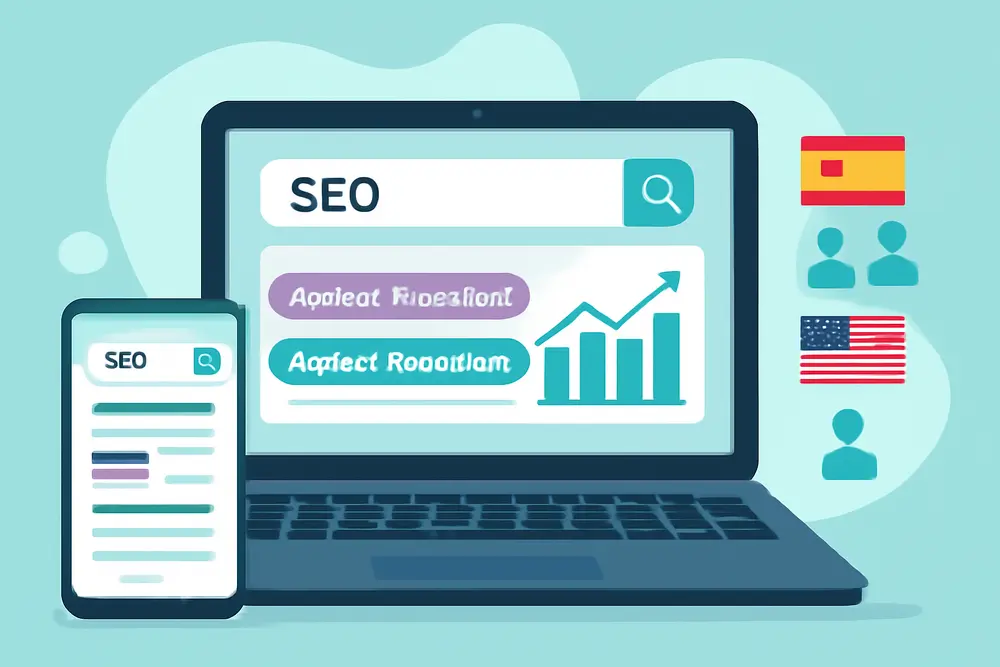
Align Nextdoor With Your SEO
Nextdoor is a powerful channel on its own, but it becomes a force multiplier when your website matches the neighborhood granularity people expect. Build or refine your service area pages using hyperlocal headlines, photos taken in the area, and real neighbor quotes. Then send Nextdoor traffic to those pages with UTMs. This alignment makes your sponsorship clicks convert higher and gives you more data on what each neighborhood cares about. It also helps earn links when local groups or news outlets mention your community work and point back to your site. Rep Lock maps out how those local mentions can pay off in their look at sponsorships and brand authority.
Creative That Feels Like A Neighbor
A little personality goes a long way on Nextdoor. Skip stiff corporate-speak. Write like you talk to the family across the street. Keep sentences short, point to real streets or parks, and show faces. When you educate, stay practical. Example: Faucet leaking under the sink? Here’s the 10 second test before you call us. Include a quick photo or 15 second clip if you can. For deals and sponsorships, rotate three core angles: prevent a problem, fix a problem fast, and upgrade for comfort or beauty. Most local services slot nicely into those three.
Photos beat graphics 9 times out of 10. Real people on real jobs with decent lighting and a clean foreground will always outperform a busy Canva template. If you do use graphics, keep text minimal and stick to one idea per image. Add alt text when you upload those images so screen readers get context too.
Handling Mentions And DMs
Mentions are your free inbound leads. Set up notifications so you can reply quickly when someone asks for recommendations and a neighbor tags you. Offer a short, useful answer with a link to your page or pinned post for booking. Keep DMs organized with quick replies you can paste: thanks, estimate booking, warranty policies, and scheduling windows. Train your team to capture source as Nextdoor when they move a DM to a phone call or a booked job.
Smart Budget Moves
Start small, then let data pull you forward. Pick 2 to 4 neighborhoods that fit your best customers and put most of your initial budget into Local Deals there. Add one or two Neighborhood Sponsorships that neighbor those deals to grow reach and recognition. After 4 to 6 weeks, compare redeems and closes by neighborhood. Shift budget toward the top two, then test one new neighborhood that shares similar home ages, HOA rules, or commute patterns. Rinse and repeat each quarter.
FAQ
Is Nextdoor Worth It For Small Service Businesses?
If your customers come from a defined service area and trust matters in the sale, yes. Nextdoor has built-in neighbor trust and purchase intent you won’t find on broad social platforms. Start with a complete Nextdoor Business Page, then test Local Deals with tracking.
How Much Do Neighborhood Sponsorships Cost?
Costs vary by neighborhood size and demand. Smaller neighborhoods tend to cost less, larger ones cost more. Start with a couple of neighborhoods that match your ideal customers and watch engagement before scaling.
How Often Should I Post Updates?
One to two times per week works well for most local services. Keep at least half of your updates purely helpful. Use your promotional posts to back up Local Deals or remind neighbors about seasonal services.
What If I Get A Negative Mention?
Respond quickly, acknowledge the issue, and offer a direct path to resolution. Then return to the thread with the fix if the neighbor is comfortable. People judge how you handle problems as much as whether they happen.
Can I Target By Neighborhood?
Yes. Local Deals and Neighborhood Sponsorships both give you neighborhood-level targeting. You’ll see different audience sizes and costs, which helps you test where ROI is strongest.
Which Businesses See The Best Results On Nextdoor?
Home services, pet care, health and wellness, tutoring, and personal services do well because neighbors want trusted pros nearby. If you can show real work done down the street and earn recommendations, you’re in the sweet spot.
How Do I Boost Recommendations Fast Without Being Pushy?
Ask right after a job is completed, include a direct link, and suggest one detail to include. Consider a soft incentive like a quarterly neighborhood giveaway drawn from recent recommenders, as long as it follows platform rules.
Your Next Step
Claim or clean up your Nextdoor Business Page, add a pinned post with contact steps, and publish one helpful update this week. Then line up a 7 to 10 day Local Deal with a unique code and neighborhood-specific title. Set UTM tracking to a matching neighborhood page on your site and assign a unique Nextdoor phone number. When the first redeems and calls roll in, you’ll know exactly which neighbors to keep showing up for and how to scale from there.