If your business runs on booked jobs and ringing phones, Local Services Ads are your shortcut to high-intent leads. These pay-per-lead placements sit at the very top of Google and connect you directly with customers who are ready to book. In late 2025, Google retired the old Google Guarantee and Google Screened labels and rolled everything into a single Google Verified badge. The trust signal is still there, the vetting is stricter, and ranking now leans even harder on reviews and responsiveness. Here’s how to get verified, climb to the top placements, filter out junk leads, and prove ROI so every dollar turns into booked revenue.
What Are Local Services Ads?
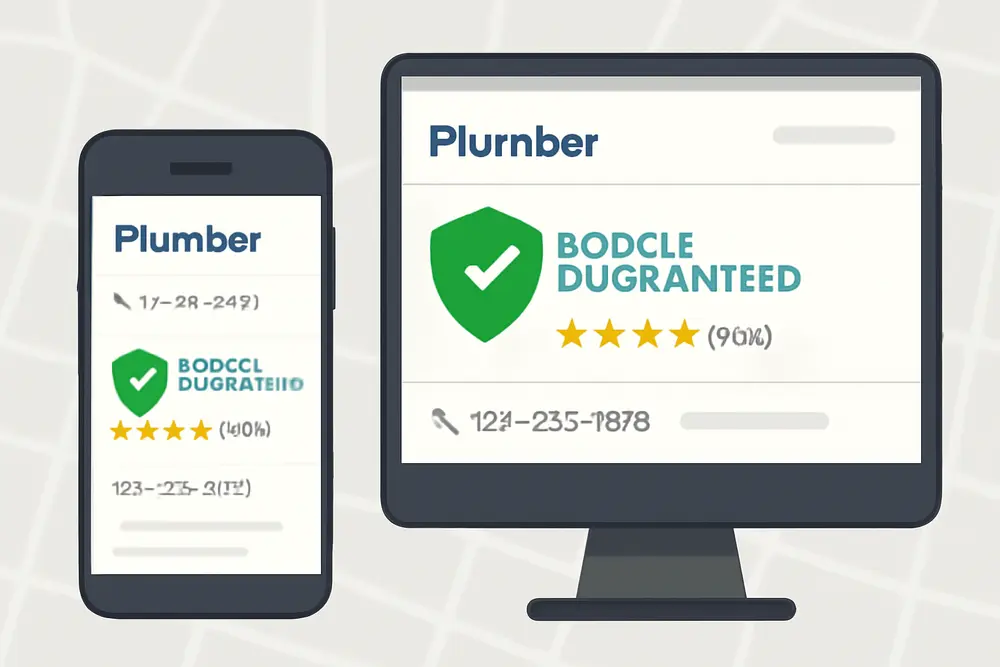
Local Services Ads, or LSAs, are pay-per-lead placements that appear above standard search ads and organic results for eligible home and professional services categories. Unlike traditional Google Ads where you pay per click, LSAs charge you when a lead arrives through a call or message. Customers can see your rating, service area, hours, and the Google Verified badge, then contact you directly. Because the intent is often I need help now, these leads tend to convert at a higher rate for categories like plumbers, locksmiths, HVAC, garage door repair, electricians, pest control, cleaning, and many others.
Google hosts your profile and routes calls or messages through the LSA platform. You control your weekly budget and your maximum amount you are willing to pay per lead. The platform favors verified, responsive, well-reviewed businesses that are close to the searcher and actively available.
What Happened to Google Guarantee?
As of late 2025, Google replaced Google Guarantee, Google Screened, and License Verified with a single Google Verified badge across eligible LSA profiles. The visual change simplifies trust signals for consumers and sets a single standard for verification. Historically, Google Guarantee also came with a money-back protection for bookings made through LSAs. That consumer reimbursement program was phased out after November 2025. Jobs booked before the cutoff may still be covered under the previous terms, but new bookings now rely on the Google Verified badge as the trust indicator rather than a reimbursement promise.
The practical takeaway for businesses: the badge still matters a lot for click-through rates, lead volume, and cost per acquisition. The process to earn it is now tighter, so you have to keep documents current and ensure every in-field worker is cleared. You can read more about Google’s program and the current help materials on Google’s site and ad partners, such as Google Business resources and Marketing 360’s LSA setup guide.
How to Get Google Verified
Verification is straightforward if you prepare. Expect document reviews to take 3 to 5 days, background checks to take 3 to 14 days, and the total process to land between 2 and 4 weeks when everything aligns. Here is how to pass on the first try.
Verify And Tighten Your Google Business Profile
Your Google Business Profile must be verified, complete, and consistent. Make sure your business name, address, phone number, and website match exactly across your profile, your business registration, your licenses, and your insurance. Inconsistent naming or old addresses slow reviews and trigger rejections. Add accurate hours, service areas, and primary categories that match your LSA categories.
Complete Background Checks For Everyone In The Field
The business owner must pass identity verification and a background check. Every field worker or technician who visits customers in person must pass their own check as well. If you use subcontractors or seasonal hires, plan ahead. You will not be fully verified until every active in-home worker is cleared. Keep a running roster and initiate checks before you add people to the schedule. Policies and providers for background checks can vary by country and category, so follow the prompts inside your LSA account.
Submit Licensing And Insurance
Upload all required professional and business licenses with names that match your business records. Submit current proof of general liability insurance. Some categories require additional coverage or bonds. If your corporate entity name differs from your public-facing brand, include documentation that ties them together. Set calendar reminders 45 to 60 days before expiration dates so you can re-upload early and avoid lapses that pause your ads.
Verify Business Registration And Identity
Google may request formation documents, tax IDs, utility bills, or lease agreements to confirm your business and operating location. Virtual offices are not accepted. If you work from home, that can be fine as long as your category allows it and your documents prove you are genuinely established in your service area.
Watch The Timeline And Keep The Inbox Clear
Most document reviews land in 3 to 5 business days. Background checks often return in 3 to 14 days. If Google requests additional proof, respond quickly and upload clear, legible documents. Plan for a total of 2 to 4 weeks before your badge shows consistently.
Ranking to the Top
After you are verified, ranking is part math and part operations. You cannot move your office closer to every searcher, but you can make sure your profile and response habits outperform nearby competitors. These are the levers that move your placement and lead volume.
| Factor | Why It Matters | What To Do |
|---|---|---|
| Reviews | Quality, quantity, and recency influence rank and click-through | Ask after every job, use LSA review requests, reply to every review |
| Responsiveness | Faster responses lead to more exposure and better customer experience | Answer quickly, use call routing, enable messaging, set notifications |
| Proximity | Google prefers businesses closer to the searcher | Set realistic service areas, avoid unrelated cities, keep GBP accurate |
| Budget And Bids | Higher budgets and competitive per-lead bids unlock more volume | Set a healthy weekly budget, test higher max per lead, watch CPL |
| Business Hours | Availability affects ad serving when customers search | Set exact hours, use after-hours message prompts, cover peak times |
| Profile Quality | Clear services, pricing context, and photos increase conversions | Select relevant job types, add photos, keep service descriptions tight |
Focus first on reviews and responsiveness. Encourage reviews through Google’s built-in LSA flow so they attach directly to your ad profile. Keep asking for GBP reviews too, then respond to each review with specifics about the job. For responsiveness, route LSA calls to a dedicated line that is always answered live during business hours. Turn on messaging if your category supports it and assign someone to reply within minutes. If you miss calls, return them inside the LSA dashboard so the system counts your responses.
On budgets and bids, set a weekly budget that can support at least 10 to 20 leads so the system can find a rhythm. Then test your max per lead bid in increments. If your close rate is strong and your CPA is below your target, inch bids up in busy seasons. If leads start to drift outside your sweet spot, tighten service areas and job types instead of simply lowering bids.
Stop Paying For Junk Leads
Even with tight targeting, you will see irrelevant or low-quality leads now and then. Common examples include out-of-area calls, requests for services you do not offer, spam or sales pitches, repeated contacts from the same customer, or wrong numbers. You can request credits for many of these within your LSA dashboard. The typical window is around 30 days from the lead date. Categories can vary, and some highly regulated verticals have restricted dispute options, so check the dispute policies visible in your account.
To request a credit, open the specific lead, categorize it appropriately, add a brief explanation, and submit. Keep notes simple and factual. If you get repeat bad leads for the same job type or city, remove that job type or location from your settings to stop the stream. If you are consistently receiving price shoppers who never book, update your profile to set expectations about minimums or typical price ranges. This small change can improve lead quality without breaking Google’s content rules.
Prevention beats disputes. Verify your service area boundaries, limit job types to what you actively sell, and keep hours accurate so you do not invite after-hours calls you cannot service. If you use call tracking, tag lead outcomes and train staff to ask two questions up front: where are you located and what do you need done today. This keeps your pipeline clean and your dispute rate low.
Track ROI Like A Pro
LSAs generate leads. Your job is to turn those leads into scheduled jobs and invoice revenue, then decide what to scale. Set up a unique phone number for LSAs or use Google’s forwarding number with call recordings enabled so you can attribute correctly and coach call handling. Connect your CRM, or at least use a spreadsheet, to record lead source, job type, booked status, job revenue, and close reason if lost.
Watch three core numbers weekly and monthly:
Cost per lead: ad spend divided by total LSA leads. Close rate: booked jobs divided by leads. Cost per acquisition: ad spend divided by booked jobs. If you want the simple ROI number, use this formula in your report: ROI equals revenue from LSA jobs minus ad spend, divided by ad spend. Track these by job type and by city if you serve multiple markets. It is common to see, for example, emergency repair calls cost more per lead but close faster and deliver higher revenue per job.
Use your data to make surgical changes. If the CPL is fine but the close rate is low, you likely have a call handling or qualification issue, not an ads problem. If CPL is high but CPA is still strong because jobs are high value, consider bidding higher during peak hours to capture more of those profitable calls. If your best crews are idle on Tuesdays, extend hours or shift budget earlier in the week. Little adjustments like these keep your LSA machine efficient.
Several agencies have reported that the streamlined Google Verified badge improved user trust and reduced cost per acquisition by lifting conversion rates. Your mileage will vary by market and category, so annotate your reports when your badge went live or refreshed so you can see trend changes.
Common Mistakes To Avoid
Mismatched names, addresses, or phone numbers across your Google Business Profile, licenses, and insurance are the fastest way to stall verification. Before you upload anything, make sure the legal entity, DBA, and brand naming line up. Upload crisp, front-and-center scans rather than angled photos. Do not forget to re-verify every field worker as you hire. If someone leaves, remove them immediately from your roster so you do not get flagged for inactive workers who never completed checks.
Another frequent issue is turning on every job type and every neighboring city in the hope of more volume. That usually backfires. Stick to the services you can staff profitably and the service area you can cover fast. Keep hours consistent with your actual availability and do not advertise 24-7 if you cannot answer 24-7. Underbidding is a hidden killer too. If your category’s competitive range is higher than your max per lead, your exposure will suffer no matter how great your reviews are. Start competitive, gather data, and adjust weekly.
Finally, neglecting reviews and slow responses erode rank over time. Set a review request habit after every job and reply to each review with real details about the work. Use missed call text back or dedicated coverage so LSA calls and messages never sit unanswered.
FAQs
What Changed With Google Guarantee?
Google retired the Google Guarantee and Google Screened labels and introduced one Google Verified badge across Local Services Ads. The old money-back guarantee for new bookings ended after November 2025. The badge still signals your business passed Google’s checks and helps conversion rates.
How Long Does Verification Take?
Most document reviews take 3 to 5 days and background checks land in 3 to 14 days. When everything matches and you reply quickly to any requests, plan for a total of about 2 to 4 weeks.
Can I Run LSAs Without Being Verified?
No. You can start your profile and upload details, but your ads will not serve until you complete verification and your badge is active.
What If My Verification Fails?
Fix the mismatch called out by Google and resubmit. Common fixes include updating your Google Business Profile to match licenses, re-uploading clear scans, or completing background checks for all field staff. If you are stuck, contact LSA support and be ready to provide proof of business registration and insurance.
Do I Need A Physical Office In The City?
You need a legitimate operating location that matches your documents. Virtual addresses are not accepted. Service area businesses can operate from a home office if the category allows it, but you must be established in the area you serve.
How Do Lead Disputes Work?
Open the lead in your LSA dashboard, choose the reason, and submit within the allowed window, often around 30 days. You can usually dispute spam, wrong service requests, out-of-area leads, and duplicate leads. Some categories have limited dispute options, so check your policy details inside the platform.
What Drives Ranking The Most?
Reviews, responsiveness, proximity, and competitive budgets. Keep asking for reviews, respond quickly, set realistic service areas, and bid enough to compete. Profile quality and updated photos help conversion as well.
How Often Should I Adjust Bids And Budgets?
Review weekly, but avoid yo-yo changes. Make small, data-driven adjustments and let them run for a few days before judging the impact. Seasonal shifts and weather swings can change volume dramatically, so annotate those in your reports.
Want Help Turning LSAs Into Booked Jobs?
If you would rather spend your day running crews than wrangling verifications, bids, and disputes, we get it. Our team sets up Local Services Ads, handles Google Verified requirements, builds review engines, tunes budgets, and tracks every call to revenue. If you are ready for more high-intent calls from customers who need you now, reach out and we will map the exact playbook for your service area and seasonality.